
- $ USD
- € EUR
- £ GBP
- CA$ CAD
- A$ AUD
- ₹ INR
- CHF
- ¥ JPY
- S$ SGD
- HK$ HKD
- NZ$ NZD
- kr SEK
- zł PLN
DaVinci Resolve Templates, Map Animators & Editing Tools
Built for clarity, speed, and real-world editing workflows. Download one-click .drfx motion graphics, animated maps, and customizable Fusion tools that run smoothly in DaVinci Resolve Free and Studio.
One-click .drfx install • No third-party plugins • Built for smooth playback
Featured DaVinci Resolve Bundles & Packs
Complete multi-template toolkits built with native Fusion performance and organized Inspector controls, designed to save hours on every edit.
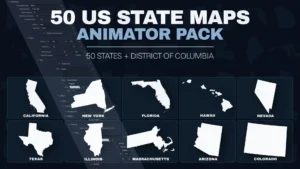
50 US State Maps Animator Pack for DaVinci Resolve | 51 Animated Map Templates
$19.00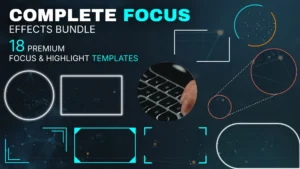
Complete Focus & Highlight Effects Bundle for DaVinci Resolve | 18 Templates
$24.99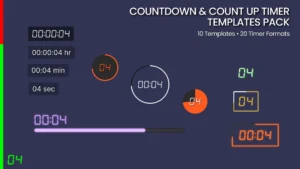
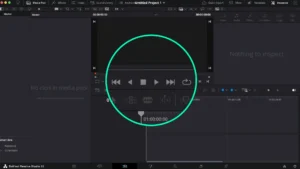
DaVinci Resolve Countdown & Count Up Timer Templates Pack | Circular, Pie & Lower Thirds
$19.00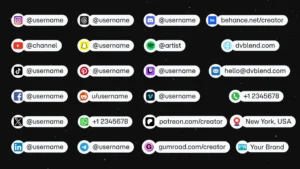
DaVinci Resolve Social Media Pack | 23 Social Media Handles, Animated Titles, Lower Thirds & Icon Generators
$19.00
Browse Templates by Workflow
Jump straight to the motion graphics and editing tools built for your project.
Map Animators
Animated US state and regional maps for documentaries & travel videos.
Explore category →Effects
Visual effects, focus callouts, masking, PiP frames, and distortion tools for the Edit page.
Explore category →Titles
Kinetic typography, animated lower thirds, number counters, and live timer templates.
Explore category →Transitions
Seamless zooms, directional slides, shape reveals, and film burns.
Explore category →Generators & UI Elements
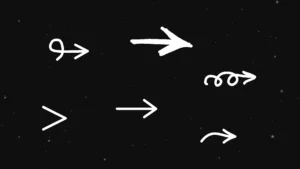
Animated arrows, click cursors, progress bars, and backgrounds.
Explore category →Free Templates
Test DvBlend quality in your own timeline at $0.
Browse free tools →Animate Maps Directly Inside DaVinci Resolve
Create animated maps without external plugins or switching to After Effects. DvBlend Map Animators deliver sharp, resolution-independent geographic graphics right on your Edit Page.
- Built natively in Fusion for sharp, resolution-independent map graphics; no third-party plugins required
- Customize animations, visual styling, and map elements directly from the Edit Page Inspector
- Ideal for documentaries, geopolitics, travel vlogs, and YouTube explainers
Start With Free DaVinci Resolve Templates
Download production-ready free tools with full Inspector controls. Install in one click and test DvBlend directly in your next project.
Popular Editing Tools & Packs
Versatile everyday motion graphics built for YouTube tutorials, explainers, and fast-paced client edits.
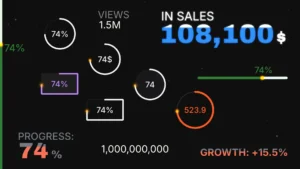
DaVinci Resolve Counter Animation Titles Pack | 9 Animated Number Counter Templates
$14.99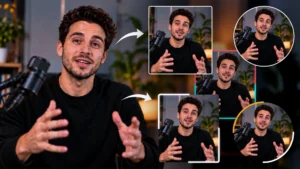
Picture-in-Picture (PiP) Frame Pack for DaVinci Resolve | Animated Borders & Full-to-PiP Templates
$11.99
DaVinci Resolve Zoom Transitions Pack – Seamless, Dynamic & Rapid Zoom Effects
$11.99
Face Blur, Mosaic and Motion Masking Toolkit for DaVinci Resolve | Mask FX
$9.99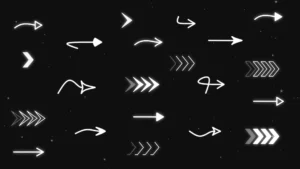
Ultimate Arrow Animation Generator Pack for DaVinci Resolve
$9.99
Film Burns & Light Leaks Pack for DaVinci Resolve | 6 Cinematic Transitions
$9.49
Customizable Cursor Generator with Click Animation for DaVinci Resolve
$9.49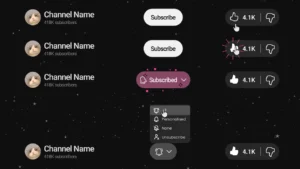
YouTube Like and Subscribe Animation Titles for DaVinci Resolve | YouTube CTA Pack
$9.49
Engineered for Smooth Playback, Not Bloated Node Trees
Every DvBlend template is designed for stability, clean customization, and reliable timeline performance.
Real-Time Native Fusion
Lightweight native Fusion architecture built for smooth playback and predictable timing across resolutions and frame rates, with no third-party plugins required.
Clean Inspector Controls
Adjust animation timing, colors, typography, and layout directly from the Edit Page without digging into complex Fusion node trees.
One-Click .drfx Installation
Double-click once to install on Windows or macOS for both DaVinci Resolve Free and Studio. New to templates? Read our installation guide →
Ready to Speed Up Your Next Edit?
Start with our free DaVinci Resolve templates or save with multi-template bundles built for real editing workflows.