$ USD
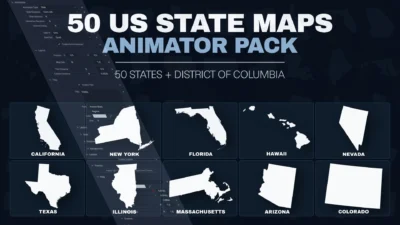
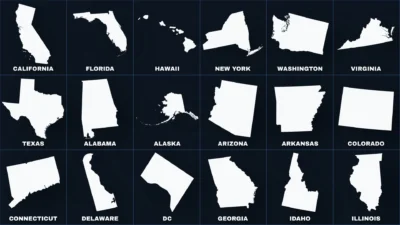
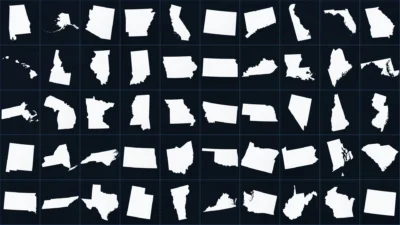
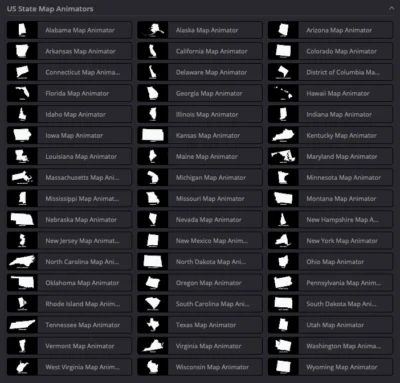


50 US State Maps Animator Pack for DaVinci Resolve | 51 Animated Map Templates
Create professional animated US state maps in DaVinci Resolve with 51 customizable Fusion title templates covering all 50 states plus the District of Columbia. Customize map colors, animations, titles, subtitles, shadows, glow, layout, and more.
$19.00
Create professional animated US state maps directly inside DaVinci Resolve
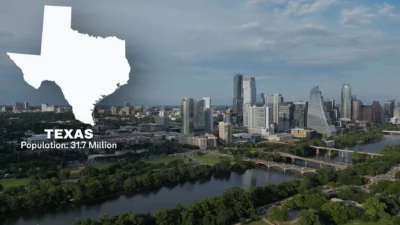
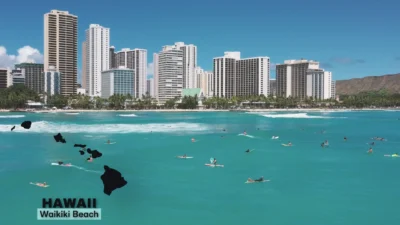
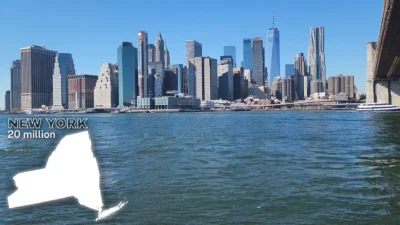
50 US State Maps Animator Pack for DaVinci Resolve is a collection of professionally designed Fusion templates that makes it easy to create clean, polished animated geographic graphics for your videos. The pack includes 51 animated map templates covering all 50 US states plus the District of Columbia, ready to use directly from the Edit page.
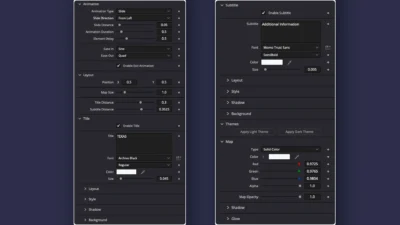
Each state map includes smooth, customizable Slide and Zoom animations, while the organized Inspector controls let you adjust the map, typography, colors, layout, animation timing, shadows, and glow without manually editing the Fusion node structure.
Use these animated US state maps for news videos, documentaries, travel videos, educational content, geography videos, real estate videos, YouTube videos, social media content, presentations, and other projects that need clear and engaging geographic visuals.
Every template is built entirely inside Fusion and requires no third-party plugins, making it easy to customize the maps directly within DaVinci Resolve.
Included Templates
51 Animated Map Templates
- 50 US State Map Animator templates
- District of Columbia Map Animator template
- Each state has its own dedicated map template
- Ready-to-use animated map shapes with optional title and subtitle elements
Features
- 51 animated US map templates
- All 50 US states plus District of Columbia
- Slide and Zoom animation types
- Four slide directions: From Left, From Right, From Top, and From Bottom
- Customizable slide distance
- Adjustable animation duration
- Adjustable element delay for staggered animation timing
- Optional exit animation
- User-selectable Ease In and Ease Out presets
- Custom map size and position
- Independently enable or disable Title and Subtitle elements
- Adjustable title and subtitle distances
- Fully editable title and subtitle text
- Custom fonts and font styles
- Adjustable text size, color, spacing, and alignment
- Solid, image, and gradient text appearance
- Adjustable text softness and opacity
- Customizable text shadows
- Optional text backgrounds
- Custom map color and opacity
- Customizable map shadow
- Adjustable shadow opacity, distance, angle, softness, and color
- Optional map glow effect
- One-click Light and Dark theme presets
- Professionally organized Inspector controls
- Built entirely inside Fusion
- No third-party plugins required
Compatibility
- Software: DaVinci Resolve 20 and newer (Free and Studio versions supported)
- Operating Systems: Windows and macOS
What You Will Receive
You will receive a ZIP file containing:
- US_State_Map_Animator_Pack.drfx – Installable DaVinci Resolve template pack containing all 51 animated map templates.
- Font Files – A folder containing the fonts used as the default fonts in the templates.
- README.txt – Installation instructions and quick start guide.
How to Install
- Download the ZIP package.
- Extract the ZIP file.
- Double-click US_State_Map_Animator_Pack.drfx.
- Click Install (or Overwrite if updating an existing version).
- After installation, open the Edit page and navigate to Effects Library → Toolbox → Titles → DvBlend → Map Animators to find the templates.
- You can also use the Effects Library search bar to quickly find templates by searching for terms such as Map Animator, a state name such as Texas, or Animator.
- If the templates do not appear immediately in the Effects Library, restart DaVinci Resolve.
For detailed step-by-step instructions: How to Install DaVinci Resolve Templates (.drfx Files)
How to Use
- Open the Edit page in DaVinci Resolve.
- Open the Effects Library and navigate to Titles → DvBlend → Map Animators.
- Drag the desired state map template onto the timeline.
- Select the template clip and open the Inspector.
- Choose your animation type, direction, duration, and easing settings.
- Customize the map size, position, color, opacity, shadow, and glow.
- Enable or disable the Title and Subtitle as needed.
- Customize the text, fonts, alignment, spacing, appearance, shadow, and background settings.
Customization
Every template includes professionally organized Inspector controls, making it quick and easy to customize your map animation without manually editing the underlying Fusion nodes.
Animation
- Animation type
- Slide direction
- Slide distance
- Animation duration
- Element delay
- Ease In and Ease Out presets
- Optional exit animation
Map
- Map color
- Map opacity
- Map size
- Map position
- Shadow settings
- Glow settings
Title & Subtitle
- Show or hide each element independently
- Custom text
- Font family and style
- Font size
- Text color
- Position Offset X and Y
- Character spacing
- Line spacing
- Vertical and horizontal alignment
- Solid, image, or gradient appearance
- Softness and opacity
- Shadow settings
- Background settings
Themes
- One-click Light Theme
- One-click Dark Theme
Why You Will Love It
Instead of creating each state map animation from scratch, this pack gives you 51 ready-to-use animated US map templates covering all 50 states plus the District of Columbia.
Simply choose a state, drag the template onto your timeline, and customize the animation, map appearance, typography, and layout directly from the Inspector. This makes it easy to create consistent geographic graphics across different videos while giving you the flexibility to match your own visual style.
No Plugins Required
Built entirely with native Fusion tools, this pack requires no third-party plugins, scripts, or additional software.
Simply install the included .drfx file and start creating professional animated US state maps directly inside DaVinci Resolve.
Related products
-
Free Rectangle Highlight and Zoom Template for DaVinci Resolve | Smart Rectangle Focus Free
$0.00 -
Liquid Glass Title for DaVinci Resolve | Glass Text & Lower Third Templates
$4.99 -
Picture-in-Picture (PiP) Frame Pack for DaVinci Resolve | Animated Borders & Full-to-PiP Templates
$11.99 -
Ultimate Arrow Animation Generator Pack for DaVinci Resolve
$9.99