$ USD
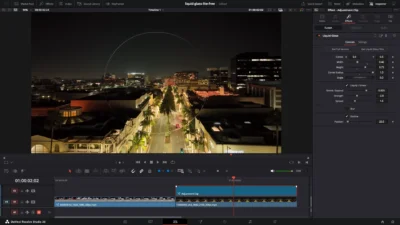
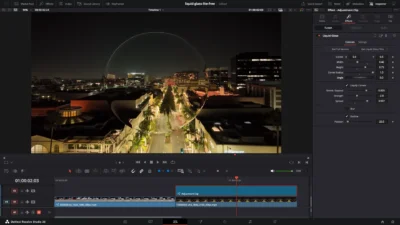


Free DaVinci Resolve Liquid Glass Effect | Liquid Glass Lite
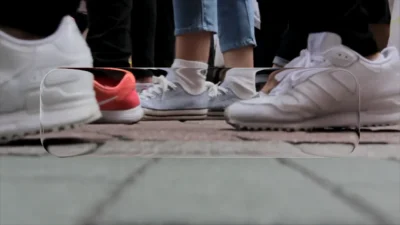
Free liquid glass effect for DaVinci Resolve. Create modern glass overlays, interface-inspired visuals, and stylized glass panels with adjustable distortion, blur, outline, shape, and positioning controls.
$0.00
Create Modern Liquid Glass Overlays and Glass UI Elements for Free in DaVinci Resolve
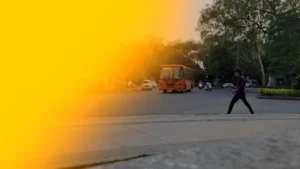
Liquid Glass Lite is a free drag-and-drop effect template for DaVinci Resolve that creates modern liquid glass overlays with customizable distortion, blur, and outline controls. Designed for clean, contemporary visuals, the template makes it easy to create transparent glass panels, interface-inspired elements, and stylized glass effects directly from the Edit Page without requiring any Fusion experience.
Features
- Free liquid glass effect for DaVinci Resolve
- Adjustable glass shape with Width, Height, Corner Radius, Rotation, and Position controls
- Liquify / Smear distortion effect with customizable Size, Strength, and Spread
- Optional blur effect
- Optional outline effect
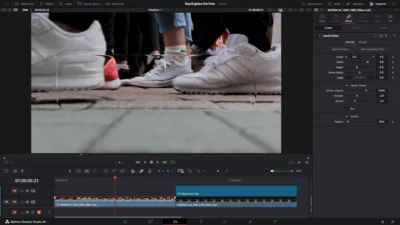
- Drag-and-drop workflow directly on the Edit Page
- Works on clips and Adjustment Clips
- Fully customizable through Inspector controls
- No external plugins required
Compatibility
- Software: DaVinci Resolve 20 or newer (Free and Studio versions supported)
- Operating Systems: Windows, macOS, and Linux
What You Will Receive
You will receive a ZIP file containing:
- LiquidGlass.drfx (installable template file)
- README.txt
How to Install
- Download and unzip the package.
- Double-click the LiquidGlass.drfx file.
- Click Install when prompted.
- Restart DaVinci Resolve if required.
How to Use
- Open the Edit Page in DaVinci Resolve.
- Go to Effects Library → Toolbox → Effects → DvBlend → Liquid Glass.
- Drag and drop Liquid Glass onto a video clip or an Adjustment Clip.
- Select the effect and open the Inspector.
- Preview and fine-tune the effect to match your project.
Upgrade to Liquid Glass Full
Need more creative control? Liquid Glass Full expands on the Lite version with additional shape options, glass animations, advanced outline controls, glass appearance customization, optional text overlays, text animation, text glow, and enhanced styling tools.