
USD
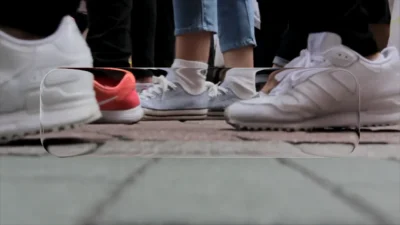
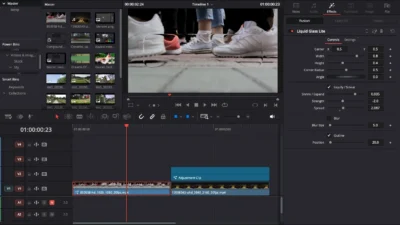
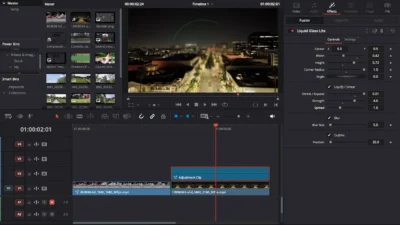


Free DaVinci Resolve Liquid Glass Effect | Liquid Glass Lite
USD
Create sleek and minimal liquid glass effects in DaVinci Resolve with this free and easy-to-use Fusion template. Adjustable shape, liquify, blur, and outline controls make editing simple and professional.
$0.00
Create liquid glass effects with this free drag and drop template
Liquid Glass Lite is a free, drag-and-drop Fusion template designed to add sleek, minimal liquid glass effects to your videos in DaVinci Resolve. This template provides the essential tools to create polished glass highlights and fluid distortion effects with ease.
Key Features
- Rectangle glass shape with fully adjustable Width, Height, Corner Radius, Angle, and Center (X/Y)
- Liquify/Smear effect with toggle on/off, Shrink/Expand, Strength, and Spread adjustments
- Blur effect with toggle on/off and size control
- Outline toggle on/off for clean visual accents
- Works seamlessly on any clip or adjustment clip
- Simple drag-and-drop workflow – all controls available directly in the Inspector panel
What You will Get
You will get a ZIP file containing:
- LiquidGlassLite.drfx (installable template file)
- README.txt (installation instructions and usage guide)
Compatibility
- DaVinci Resolve (Free or Studio) – version 18 or later recommended
- Works on Windows, Mac, and Linux
How to Install
- Unzip the downloaded ZIP file.
- Double-click LiquidGlassLite.drfx
- Click Install (or Overwrite if updating)
- Restart DaVinci Resolve
- Go to the Edit Page
- Find the template under: Effects Library > Toolbox > Effects > DvBlend
- Or use the search bar to find Liquid Glass Lite
How to Use
- Drag and drop the Liquid Glass Lite effect onto your desired video clip or an Adjustment Clip on the timeline.
- Select the clip and open the inspector to customize it to your liking.
Want Upgrade?
Want more advanced features, text overlay, animations, and complete customization? Upgrade to Liquid Glass Full.
Related products
-
Liquid Glass Effect Template for DaVinci Resolve | Liquid Glass Full
$4.89 -
Free Circle Highlight and Zoom Template for DaVinci Resolve | Smart Circle Focus Free
$0.00 -
Free Slide Text Animation Template for DaVinci Resolve | TextFlow 12 – Directional Slide Free
$0.00 -
Free Heat Wave and Mirage Distortion Template for DaVinci Resolve | Heat Haze
$0.00

Reviews
There are no reviews yet.