$ USD

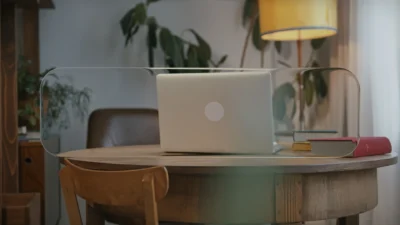
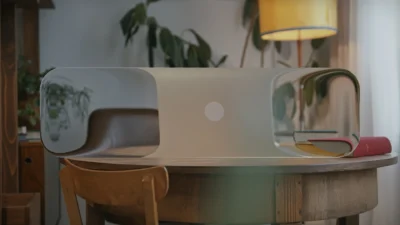
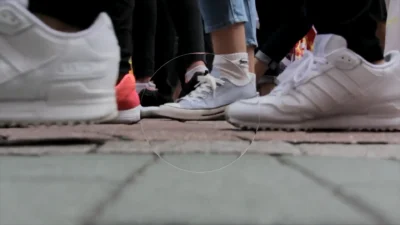
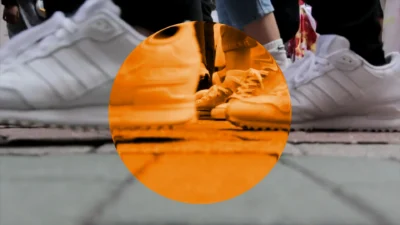
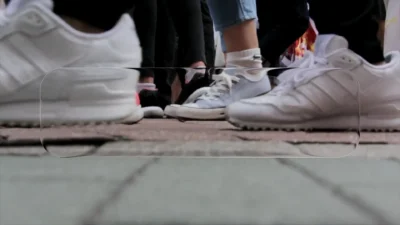


Liquid Glass Effect Template for DaVinci Resolve | Glass Overlay & UI Elements
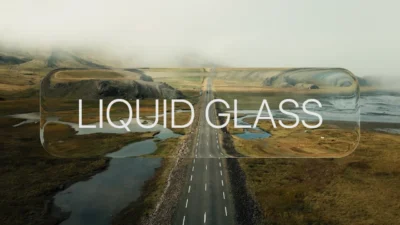
Create modern liquid glass effect, overlays, animated glass panels, UI elements, and glassmorphism effects in DaVinci Resolve with customizable shapes, distortion, outlines, animation, and optional text.
$4.99
Create Modern Liquid Glass Effect, Glass UI Elements, and Animated Glass Panels in DaVinci Resolve
Liquid Glass is a drag-and-drop effect template for DaVinci Resolve that creates modern glass-style overlays with realistic distortion, refraction, blur, and glass outlines. Inspired by contemporary interface design trends, the template makes it easy to build elegant glass panels, floating UI elements, title cards, information boxes, and stylized visual overlays directly on the Edit Page.
The template combines customizable glass shapes, liquid distortion controls, outlines, color styling options, and optional text overlays into a single streamlined workflow. From subtle transparent interface elements to highly stylized liquid glass visuals, every aspect of the effect can be adjusted through organized Inspector controls.
Modern motion graphics, interface-inspired designs, product showcases, title sequences, promotional videos, technology presentations, and social media content can all benefit from the clean, contemporary aesthetic created by Liquid Glass. With extensive control over shape, distortion, animation, outlines, color, and text, the template can be adapted to both subtle glass accents and highly stylized visual compositions.
Features
- Modern liquid glass effect for DaVinci Resolve
- Realistic glass distortion and refraction simulation
- Rectangle and Circle shape options
- Adjustable size, position, rotation, and corner radius
- Optional blur effect with customizable intensity
- Liquid distortion controls including size, strength, and spread
- Built-in pop animation with independent Pop-In and Pop-Out controls
- Random and Uniform outline styles
- Customizable outline blur and glow controls
- Glass tint and appearance controls
- Optional text overlay system
- Built-in text animation controls
- Integrated text glow effect
- Drag-and-drop workflow directly on the Edit Page
- Fully customizable through Inspector controls
- No external plugins required
Ideal For
- Modern user interface designs
- Glassmorphism-style graphics
- Motion graphics projects
- Title cards and information panels
- Technology and software presentations
- Product showcases
- Social media content
- Promotional videos
- Corporate presentations
- HUD and interface-inspired visuals
- Creative video overlays
- Modern video intros and outros
Compatibility
- Software: DaVinci Resolve 20 or newer (Free and Studio versions supported)
- Operating Systems: Windows, macOS, and Linux
What You Will Receive
You will receive a ZIP file containing:
- LiquidGlass.drfx (installable template file)
- Font folder (includes Inter font files)
- README.txt
How to Install
- Download and unzip the package.
- Open the Font folder and install the included Inter font files if Inter is not already installed on your system.
- Double-click the LiquidGlass.drfx file.
- Click Install when prompted.
- Restart DaVinci Resolve if required.
For detailed step-by-step instructions: How to Install DaVinci Resolve Templates (.drfx Files)
Font Information
- The template is configured to use the included Inter font by default.
- Preview images and demonstration videos may use SF Pro when showcasing the optional text overlay features.
- Users who prefer SF Pro can obtain it directly from Apple according to Apple’s licensing terms and manually select it from the template Inspector.
How to Use
- Open the Edit Page in DaVinci Resolve.
- Go to Effects Library → Toolbox → Effects → DvBlend → Liquid Glass.
- Drag and drop Liquid Glass onto a video clip or an Adjustment Clip.
- Select the effect and open the Inspector.
- Customize the glass shape, distortion, outline, color, animation, and text settings.
- Preview and fine-tune the effect to match your project.
Inspector Controls
All controls are organized into dedicated sections for fast and intuitive customization.
- Glass Shape
- Rectangle and Circle shape selection
- Width, Height, and Corner Radius controls for Rectangle
- Size control for Circle
- Glass Transform
- Position controls
- Rotation control
- Glass Style
- Shrink / Expand
- Strength
- Spread
- Glass Blur
- Blur toggle
- Blur size adjustment
- Glass Animation
- Enable or disable animation
- Independent Pop-In and Pop-Out controls
- Adjustable animation duration
- Glass Outline
- Random Outline mode
- Uniform Outline mode
- Outline size adjustment
- Outline blur control
- Outline glow controls
- Glass Appearance
- Glass tint color
- Hue
- Saturation
- Text Controls
- Optional text overlay with text controls
- Text Animation
- Multiple reveal order options
- Adjustable animation duration
- Text Glow
- Enable or disable text glow
- Glow size adjustment
- Glow intensity adjustment
Related products
-
Free DaVinci Resolve Liquid Glass Effect | Liquid Glass Lite
$0.00 -
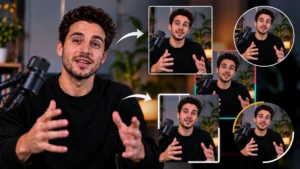
Picture-in-Picture (PiP) Frame Pack for DaVinci Resolve | Animated Borders & Full-to-PiP Templates
$12.99 -
Star and Particle Motion Background Generator for DaVinci Resolve | Stellar Motion
$4.99 -
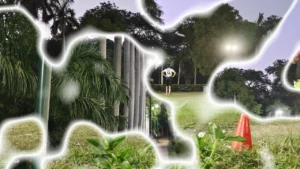
Free Customizable Cinematic Transition Template for DaVinci Resolve | Texture Wipe
$0.00