
USD




Animated Grid Background Generator for DaVinci Resolve | Dynamic Grid
USD
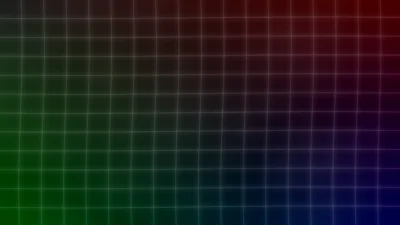
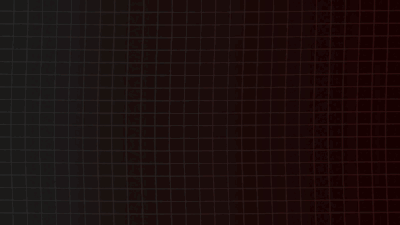
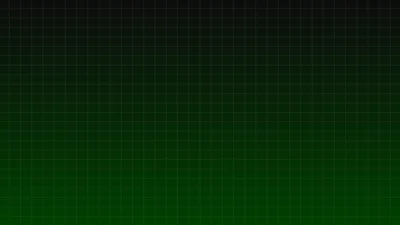
Dynamic Grid is a customizable background generator for DaVinci Resolve that creates animated grids, gradients, HUD frames and distortion effects. A grid based motion background generator designed for motion graphics, intros, sci-fi visuals and cinematic backgrounds.
$3.99
Create animated grid backgrounds and gradients in seconds
Dynamic Grid is a highly flexible background generator designed for creators who want clean or stylized grids, glowing interfaces, animated ripple effects, procedural motion textures, multi-color gradients and futuristic UI panels.
Built entirely inside Fusion, this template gives you full control over rows, columns, colors, distortions, glow and grid frame outlines. You can create minimal grid layouts or advanced sci-fi motion backgrounds with ease.
Features of this template
- Background Controls
- Change the background color, from simple solid color to modern gradient. Gradient mode includes pre-defined colors which you can adjust to your liking.
- Grid Controls
- Total Rows and Total Columns
- Grid Zoom
- Horizontal, Vertical and Major Line Width
- Full color control and Opacity slider
- Option to hide the grid and use only the background
- Frame Controls
- Enable or disable outline
- Set Thickness, Length and Position
- Create partial or animated borders
- Separate color and opacity for the frame
- Wave Distortion
- Smooth flowing motion
- Frequency, Intensity and Speed controls
- Surface Noise
- Procedural texture that adds variation to the background
- Contrast, Detail, Brightness, Scale and Angle
- Randomness and Speed for subtle animated movement
- Glow
- Size and Gain controls
- Adds neon style glow to grid lines
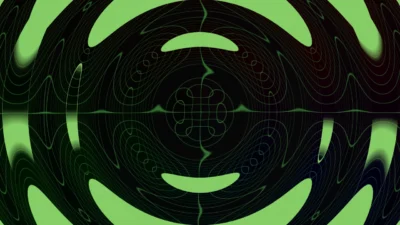
- Drip Distortion
- Circular, Square, Star, Radial and more shapes
- Strength, Softness and Phase Offset
- Suitable for abstract and stylized backgrounds
- Simple and Organized Interface
- All settings grouped for clarity
- Each effect can be toggled on or off
- You can disable all effects to keep only the background and grid for a simple static design
Compatibility
- DaVinci Resolve 18 or newer (Free and Studio)
- Windows, macOS and Linux
What is included
You will receive a ZIP file containing:
- DynamicGrid.drfx – an installable template file
- README.txt – quick installation and usage guide
How to install
- Download and unzip the package
- Double click DynamicGrid.drfx to install the template
- Click Install (or Overwrite if updating)
- Restart DaVinci Resolve
- On the Edit Page, navigate to:
- Effects Library > Toolbox > Generators > DvBlend > Dynamic Grid
- (You can also search for Dynamic Grid in the search bar)
How to Use
- In the Edit Page, drag and drop Dynamic Grid onto your timeline
- Select the clip and open the Inspector > Video > Generator tab
- Choose a background type
- Adjust grid size, line width, zoom and colors
- Lower the grid opacity for gradient only backgrounds
- Enable the frame outline and adjust Length and Position for HUD effects
- Add wave motion, surface noise, glow or drip distortion to style the background
- Combine effects for motion graphics, UI panels, sci-fi visuals, title screens and digital overlays







Reviews
There are no reviews yet.