$ USD
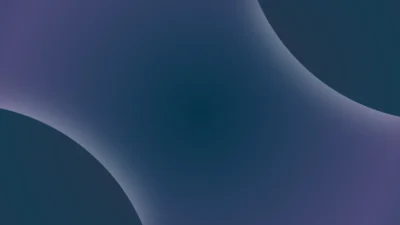
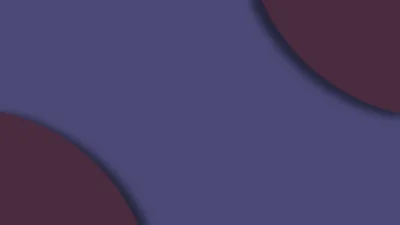


Soft Motion Background Generator for DaVinci Resolve | Dual Arc Drift
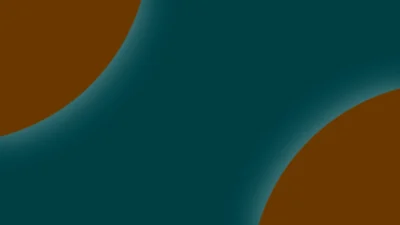
Dual Arc Drift is a soft motion background generator for DaVinci Resolve featuring two drifting curved layers with fully customizable motion, colors, and shadows, creating smooth animated movement with subtle layered depth.
$3.00
Procedural dual-arc motion background with smooth drifting layers
Dual Arc Drift is a customizable motion background generator for DaVinci Resolve that features two large curved layers moving diagonally across the frame with soft shadows and layered depth. The arcs drift in opposite directions to create a clean, modern animated background suitable for titles, interfaces, branding, and motion graphics.
Built entirely inside Fusion, the generator works without keyframes or external assets. All visual and motion parameters are controlled through a simple Inspector interface, making it easy to adjust direction, movement, color, and depth while keeping a consistent and polished look.
With flexible controls for arc edge softness, motion intensity, shadow depth, and colors, Dual Arc Drift can be used as a full screen motion background or as a subtle animated layer behind text and visual elements.
Features of this template
- Dual Arc System: Two large curved layers move in opposite directions to create a balanced diagonal motion with layered depth.
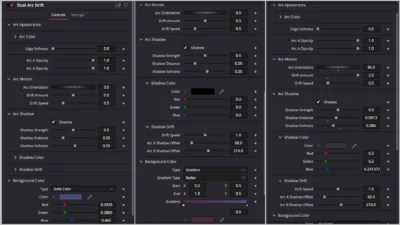
- Arc Appearance Controls: Control Arc Color, Edge Softness, and independent Arc A and Arc B Opacity to fine tune the visual weight of each arc.
- Arc Motion Controls: Use Arc Orientation to change the diagonal direction, and Drift Amount and Drift Speed to control how far and how fast the arcs move.
- Shadow Controls: Enable or disable shadows and adjust Shadow Strength, Shadow Distance, and Shadow Softness. Includes independent Shadow Color and separate shadow offsets for each arc.
- Background Control: Set a solid or gradient background color to match your project or brand palette.
- Fully Procedural and Lightweight: Built entirely inside Fusion with no external footage or textures. Designed to be performance friendly and suitable for looping backgrounds and long timelines.
Compatibility
- Software: DaVinci Resolve 18 or newer (Free and Studio)
- Operating Systems: Windows, macOS and Linux
What is included
You will receive a ZIP file containing:
- DualArcDrift.drfx (an installable motion background generator)
- README.txt (installation and usage guide)
How to install
- Download and unzip the package
- Double click DualArcDrift.drfx to install the template
- Click Install (or Overwrite if updating)
- Restart DaVinci Resolve
On the Edit Page, navigate to: Effects Library > Toolbox > Generators > DvBlend > Dual Arc Drift
You can also search for Dual Arc Drift using the search bar.
How to use
- On the Edit Page, drag and drop Dual Arc Drift onto your timeline
- Select the clip and open Inspector > Video > Generator
- Adjust Arc Color, Arc A Opacity, and Arc B Opacity
- Change Edge Softness and Arc Orientation
- Control Drift Amount and Drift Speed
- Enable and adjust shadows if needed
- Set the background color
Use it as a full screen motion background or as an animated layer behind titles and text.
Related products
-
Floating Rectangle Outline and Highlight Effect for DaVinci Resolve | Open Rectangle Focus
$5.89 -
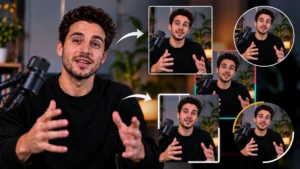
Picture-in-Picture (PiP) Frame Pack for DaVinci Resolve | Animated Borders & Full-to-PiP Templates
$12.99 -
Corner Highlight and Zoom Effect for DaVinci Resolve | Smart Corner Focus
$6.99 -
Text Reveal Inward & Outward Titles for DaVinci Resolve | 6 Animation Presets
$7.99