
USD
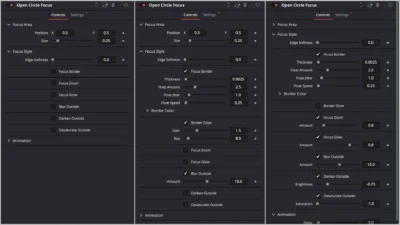


Floating Circle Outline and Highlight Effect for DaVinci Resolve | Open Circle Focus
USD
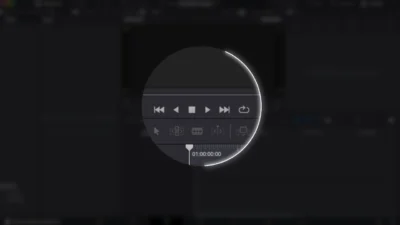
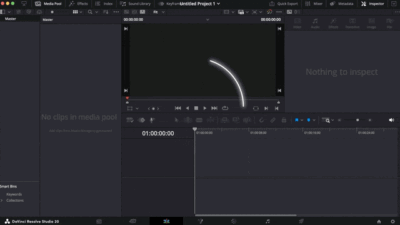
Highlight your subject in style using the Open Circle Focus. This modern DaVinci Resolve template adds a dynamic floating circular border with zoom, glow, blur, and customizable animations.
$6.00
Highlight your subject with a modern floating circular border
Bring attention exactly where you want it with Open Circle Focus, a powerful DaVinci Resolve template designed to make your videos more engaging and professional.
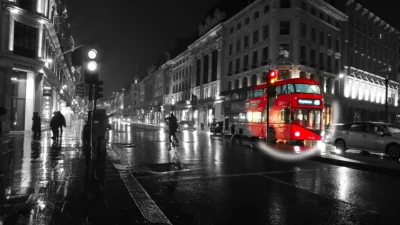
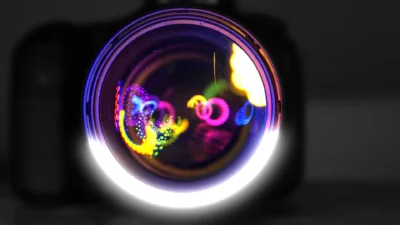
This effect creates a dynamic floating circular border around your subject that adapts with smooth motion, giving your edits a modern and polished look. Combined with zoom, glow, blur, outside darkening and black/white effects, you have complete creative control over how your audience views your content.
Features
- Dynamic floating circular border (customizable speed, jitter, amount)
- Smooth zoom in/out animations that adapts to clip length
- Adjustable animation delay (speed control)
- Full control over focus area (size & position)
- Border color, gradient, width, and glow customization
- Inner glow for extra highlight effect
- Blur, darken, or black & white background outside the circle
- Works with video/image clips or adjustment layers
Compatibility
- DaVinci Resolve (Free or Studio) – version 18 or later recommended
- Works on Windows, Mac, and Linux
What Is Included
You will receive a ZIP file containing:
- OpenCircleFocus.drfx (easy one-click install)
- README.txt (installation & usage instructions)
Quick Installation
- Unzip the download.
- Double-click OpenCircleFocus.drfx.
- Click Install (or Overwrite if updating), then restart Resolve.
- Find it under Effects > Toolbox > Effects > DvBlend (or use the search bar).
- Find it listed as Open Circle Focus.
How to Use
- Drag & drop the effect onto any clip (or an Adjustment Clip to affect multiple clips).
- The effect auto-adapts to your clip length.
- In the Inspector, set the focus area, tweak border, zoom, and use other parameters to adjust the effect to your liking.
- Use the Delay slider to fine-tune fade-in and fade-out speed.
- Tip: For multi-shot sequences, place the effect on an Adjustment Clip above your edits for consistent styling and easier tweaks.
Related products
-
Free Circle Highlight and Zoom Template for DaVinci Resolve | Smart Circle Focus Free
$0.00 -

Text Reveal Inward & Outward Titles for DaVinci Resolve | 6 Animation Presets
$8.00 -
YouTube Like and Subscribe Animation Titles for DaVinci Resolve | YouTube CTA Pack
$9.00 -
Free DaVinci Resolve Liquid Glass Effect | Liquid Glass Lite
$0.00


Reviews
There are no reviews yet.