$ USD
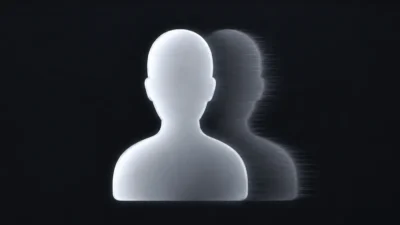


Ghost Flicker Effect for DaVinci Resolve | Paranormal Ghosting & Visual Echo Effect
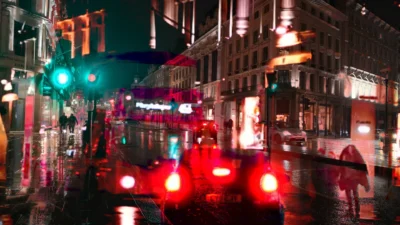
Ghost Flicker for DaVinci Resolve creates ghosting, double vision, spectral flicker, paranormal effects, and stylized glitch distortions. Drag-and-drop Fusion effect with customizable ghost separation controls.
$2.99
- Instant download
- One-click
.drfxinstallation - Free & Studio compatible
- Customizable Inspector controls
Create Paranormal Ghosting, Spectral Flicker, and Visual Echo Effects for Horror, Glitch, and Creative Video Projects
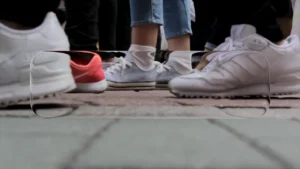
Ghost Flicker is a creative visual effect for DaVinci Resolve that adds flickering ghost images, spectral echoes, and intermittent visual disturbances to your footage. The effect can create anything from subtle visual instability and dreamlike motion to unsettling paranormal appearances and stylized glitch aesthetics.
Ideal for horror films, supernatural scenes, suspense sequences, music videos, experimental edits, psychological storytelling, and creative visual effects, Ghost Flicker introduces an unpredictable visual presence that briefly appears and disappears throughout the footage.
Ghost Flicker is equally effective for ghost sightings, haunted environments, memory flashbacks, dream sequences, digital interference, and atmospheric visual distortions, adding an unsettling presence that transforms ordinary footage into something far more unusual and memorable.
Features
- Procedural ghost flicker and duplicate image effect
- Creates spectral overlays and double-image visuals
- Can be used for horror, paranormal, dream, and glitch effects
- Drag-and-drop workflow directly on the Edit page
- Built entirely inside Fusion
- Adjustable ghost separation distance
- Optimized for smooth playback and performance
- No external plugins required
Ideal For
- Paranormal visual effects
- Horror and supernatural edits
- Ghost and spirit effects
- Dream sequences
- Psychological and suspense scenes
- Music videos
- Experimental visuals
- Digital glitch aesthetics
- Stylized video transitions and overlays
Compatibility
- Software: DaVinci Resolve 20 or newer (Free and Studio versions supported)
- Operating Systems: Windows, macOS, and Linux
What You Will Receive
You will receive a ZIP file containing:
- GhostFlicker.drfx (installable template file)
- README.txt
How to Install
- Download and unzip the package.
- Double-click the GhostFlicker.drfx file to install the template in DaVinci Resolve.
For detailed step-by-step instructions: How to Install DaVinci Resolve Templates (.drfx Files)
How to Use
- Open the Edit Page in DaVinci Resolve
- Go to the Effects Library → Toolbox → Effects → DvBlend → Ghost Flicker
- Drag and drop Ghost Flicker onto a clip or Adjustment Clip
- Select the clip and open the Inspector
- Adjust the Ghost Separation control to customize the visual intensity
- Preview and fine-tune the effect to match your project