Create Eye-Catching Neon Flicker Text in DaVinci Resolve (Free Template)
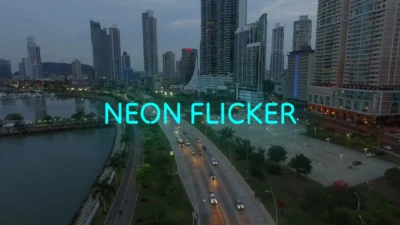
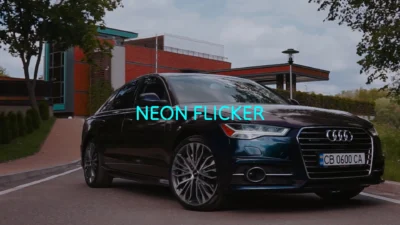
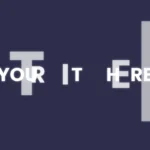
A clean and eye-catching neon flicker text animation designed to instantly draw attention in your videos.
This free template gives you a ready-to-use neon-style flicker title built in Fusion, perfect for adding a modern, glowing text effect to your projects. It includes essential controls for text styling and glow, allowing quick customization directly from the Inspector.
If you need more advanced flicker controls, multiple styles, and additional presets, you can upgrade to the full Flicker Text Pack.
Key Features
Neon-style flicker text animation
Simple and easy-to-use controls
Fully customizable text, font, size, spacing, and alignment
Color control for text styling
Adjustable glow for neon effect
Clean and organized Inspector layout
Lightweight and fast performance
Built entirely in Fusion
No external plugins required
Compatibility
Software: DaVinci Resolve 20 or newer (Free and Studio versions supported)
Operating Systems: Windows, macOS, and Linux
What is included
You will receive a ZIP file containing:
The .drfx file (installable template file)
Font folder (required .ttf font files)
README.txt
How to install
Download and unzip the package.
Open the Fonts folder and install the included .ttf file before using the template.
Note: If the font is already installed on your system, you may skip this step.
Double-click the .drfx file.
Click Install (or Overwrite if updating).
Restart DaVinci Resolve.
On the Edit Page, navigate to:
Effects Library → Toolbox → Titles → DvBlend
You can also use the search bar and type “Flicker” to locate the presets quickly.
How to use
Drag any preset onto your timeline.
Select the title clip and open: Inspector → Video → Title
Customize your text:
Edit text content
Adjust font, size, spacing, and layout
Style your design:
Change text color
Adjust glow
Refine the overall look to match your project
Upgrade to Full Version
Unlock the complete Flicker Text Pack with expanded controls and additional presets:
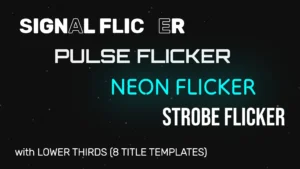
8 title and lower third templates
Multiple flicker styles: neon, pulse, signal, and strobe
Advanced flicker controls for duration, intensity, and behavior
Persistent flicker and end animation options
Fully trim-safe animations for seamless editing in any timeline
Reviews
There are no reviews yet.
Be the first to review “Free Neon Flicker Text Animation for DaVinci Resolve”Cancel Reply






Reviews
There are no reviews yet.