
USD
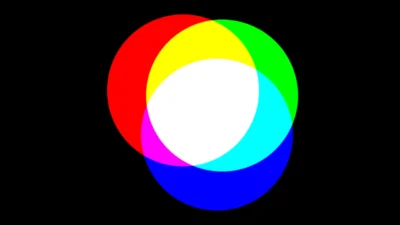
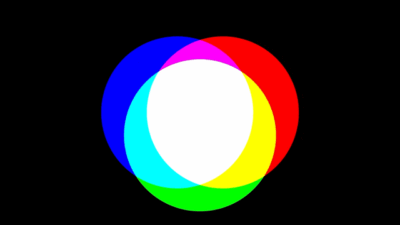
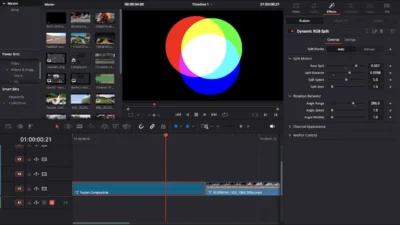
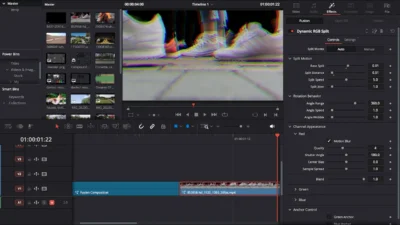
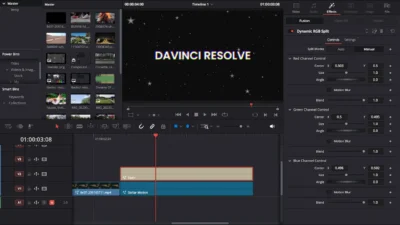


Dynamic RGB Split Effect Template for DaVinci Resolve
USD
Split and separate RGB channels with one click. Auto mode animates color motion for you, manual mode gives full control of Red, Green and Blue. Works beautifully on video, titles and overlays. Fast setup, simple controls, no plugins needed.
$6.99
Create cinematic RGB separation with full control
Dynamic RGB Split gives you clean, controlled color separation without building a single Fusion node. The effect separates Red, Green and Blue channels and lets you decide how each one behaves. You can leave it running automatically with animated movement, or switch into manual control when you want to adjust every channel by own.
Auto Mode produces a living chromatic shift. Distance, movement speed, jitter, rotation and wobble can all be adjusted to taste. The colors drift apart and return in a fluid motion that works naturally on text, footage, graphics or overlays. You can push the separation aggressively or use a subtle offset for a more cinematic look.
Manual Mode gives full precision. Each color can be moved, rotated or resized individually. Center positioning, blending and motion blur are available per channel. You can create a light lens style offset for a clean visual, or push each channel outwards for dramatic RGB stretching. The effect also allows you to anchor the Green or Blue channel so the other colors move around it.
Installation takes seconds and no technical work is needed. Drag the effect onto any clip or use it on an Adjustment Layer if you want timeline wide control. The template runs inside DaVinci Resolve without third party plugins and supports any resolution.
Features of this template
- RGB separation with animated or manual control
- Split distance, movement speed and jitter adjustment
- Angle based rotation with wobble control
- Red, Green and Blue blend and motion blur per channel
- Anchor option to keep a color fixed in the center
- Clean manual control for Center, Size and Angle
- Works on footage, titles and design elements
Compatibility
- DaVinci Resolve 18 or newer (works on Free and Studio)
- Windows or macOS
- No plugins required
- Supports HD, 4K, 8K, vertical and ultrawide formats
What is included
You will get a zip file containing:
- DynamicRGBSplit.drfx – installable template file.
- README.txt – quick installation and usage guide.
How to install
- Download and unzip the package.
- Double click DynamicRGBSplit.drfx to install the effect.
- Click Install (or Overwrite if updating).
- Restart DaVinci Resolve.
- In the Edit Page, open:
- Effects Library > Toolbox > Effects > DvBlend > Dynamic RGB Split
- (You can also search Dynamic RGB Split using the search bar)
How to use
- Apply the effect to a clip or Adjustment Layer
- Open Inspector and switch between Auto and Manual
- Adjust split distance, movement, angle or motion blur as needed
- Anchor a color channel for a stable center point

Reviews
There are no reviews yet.