
USD






Customizable Cursor Generator with Click Animation for DaVinci Resolve
USD
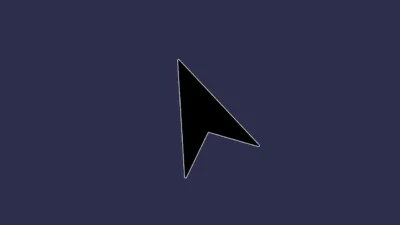
Customizable cursor generator with multiple built-in arrow and hand styles, plus realistic click animation for tutorials, screen recordings, and modern UI explainers in DaVinci Resolve.
$9.00
Flexible cursor generator with realistic click effect
Cursors is a professional Fusion generator for DaVinci Resolve that helps you add clean, customizable cursor animations and realistic click effects to tutorials, screen recordings, presentations, and UI walkthroughs. As a standalone generator, it works as a separate overlay layer, allowing you to position, animate, and control the cursor independently from your footage.
Designed to look natural, clear, and readable on any background, Cursors provides full control directly inside the Inspector, making it easy to maintain a consistent and professional look across your videos.
Built entirely in Fusion, Cursors works without external footage or third-party plugins. Cursor placement, appearance, and click behavior are managed through a clean and intuitive Inspector interface, allowing you to match the cursor precisely to your content.
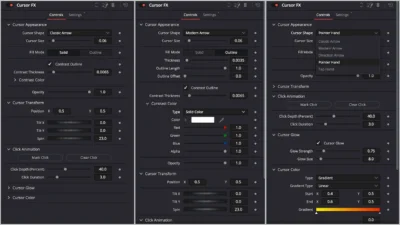
With flexible controls for cursor shape, size, fill mode, contrast outline, color, glow, and click animation, Cursors is ideal for both simple screen recordings and detailed instructional videos where precision and visibility matter.
Features of this template
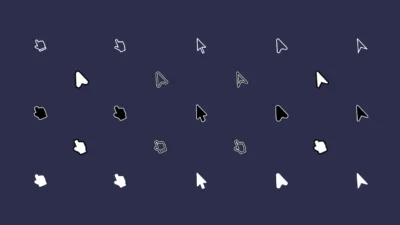
- Multiple Cursor Shapes: Includes classic arrow, modern arrow, directional arrow, pointer hand, and tap hand styles.
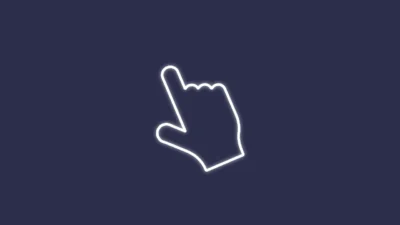
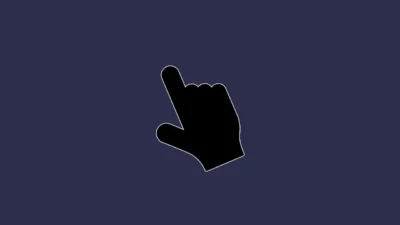
- Solid and Outline Fill Modes: Switch between solid and outline cursors depending on your visual style or background.
- Contrast Outline for Maximum Visibility: Optional contrast outline improves cursor visibility on light, dark, or complex footage.
- Customizable Cursor Appearance: Control cursor size, thickness, opacity, and color directly from the Inspector.
- Optional Cursor Glow: Enable glow with adjustable strength and size for added emphasis.
- Realistic Click Animation: Add click effects using Mark Click and Clear Click buttons, with control over click depth and duration.
- Transform Controls: Adjust position, tilt, and spin for precise alignment and orientation.
- Fully Procedural and Lightweight: Built entirely in Fusion with no external assets.
Compatibility
- Software: DaVinci Resolve 18 or newer (Free and Studio)
- Operating Systems: Windows, macOS, and Linux
What is included
You will receive a ZIP file containing:
- Cursors.drfx (Installable Fusion Generator for DaVinci Resolve)
- README.txt (Installation and usage guide)
How to install
- Download and unzip the package.
- Double-click Cursors.drfx to install the template.
- Click Install (or Overwrite if updating).
- Restart DaVinci Resolve.
On the Edit Page, navigate to: Effects Library > Toolbox > Generators > DvBlend > Cursors
You can also search for Cursors using the search bar.
How to use
- On the Edit Page, drag and drop Cursors onto the timeline above your footage or on an empty track.
- Select the generator and open Inspector > Video > Generator > Cursors.
- Choose a cursor shape and adjust cursor size.
- Select Solid or Outline fill mode and enable Contrast Outline if needed.
- Customize color, glow, and opacity.
- Position the cursor using the Transform controls.
- Move the playhead to the desired frame and click Mark Click to add a click animation.
- Adjust Click Depth and Click Duration.
- Use Clear Click to remove the click if required.
Related products
-
Corner Highlight and Zoom Effect for DaVinci Resolve | Smart Corner Focus
$6.99 -
Free DaVinci Resolve Liquid Glass Effect | Liquid Glass Lite
$0.00 -

Free Heat Wave and Mirage Distortion Template for DaVinci Resolve | Heat Haze
$0.00 -
Free Slide Text Animation Template for DaVinci Resolve | TextFlow 12 – Directional Slide Free
$0.00

Reviews
There are no reviews yet.