$ USD
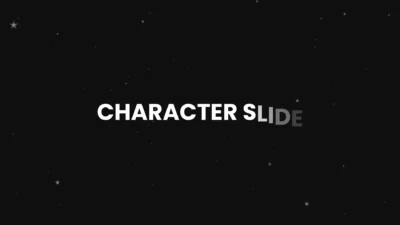






Free Character Slide Text Animation Template for DaVinci Resolve
Free DaVinci Resolve text animation template with smooth character slide effects. Choose 6 entry directions and customize glow easily.
$0.00
Character Slide – Free Text Animation for DaVinci Resolve
Add smooth, directional motion to your titles with this clean and modern text animation template.
Character Slide reveals each character individually, sliding into place from your chosen direction for a polished and professional look.
Features
- Directional Character Animation
- Choose how your text enters the screen with 6 clean directions:
- Bottom Left, Bottom Center, Bottom Right, Top Left, Top Center, Top Right
- Per-Character Motion: Each character animates one by one, creating a smooth and dynamic reveal instead of a flat text slide.
- Built-in Glow Effect: Enhance visibility and style with adjustable glow controls:
- Gain
- Size
- Easy on/off toggle
- Clean & Minimal Controls: Simple inspector layout designed for speed and ease of use. No unnecessary complexity.
- Automatic Intro Animation
- Just drop it on the timeline and it animates instantly.
Compatibility
- Software: DaVinci Resolve (Free & Studio)
- Recommended Version: 18.0 or later
- OS: Windows, macOS, Linux
What You will Receive
- CharacterSlide.drfx (ready-to-install template)
- Font Files Folder (Poppins – free Google Font)
- README.txt
How to Install
- Unzip the downloaded file.
- Install the Poppins font (.ttf files)
- Double-click the .drfx file to install the template in DaVinci Resolve.
For detailed step-by-step instructions: How to Install DaVinci Resolve Templates (.drfx Files)
How to Use
- Drag the title onto your timeline
- Open Inspector > Video > Title
- Enter your text
- Choose Entry Direction
- Adjust glow and layout as needed
Want more control? Upgrade here: Character and Word Slide, Scale & Kinetic Titles (10 Presets).
You may also like…
Related products
-
Star and Particle Motion Background Generator for DaVinci Resolve | Stellar Motion
$4.99 -
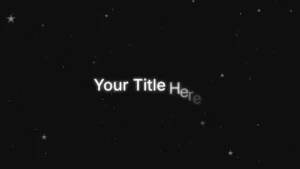
Slide Text Animation Template for DaVinci Resolve | TextFlow 12 – Directional Slide
$3.88 -

Liquid Glass Title for DaVinci Resolve | Glass Text & Lower Third Templates
$4.99 -

Free Heat Wave and Mirage Distortion Template for DaVinci Resolve | Heat Haze
$0.00