Free DaVinci Resolve Templates

This page lists free DaVinci Resolve templates available on DvBlend. Each item opens its own product page with previews, feature details, installation instructions, and how to use information. If the template fits your project, you can get it for free.

New free items are added whenever a new free product is released.

All templates are provided as .drfx files and install directly into DaVinci Resolve. Files are editable in the Inspector and work in both the Free and Studio versions, unless noted otherwise if a special Studio feature is required.

Free Templates List

The list below contains free effects, titles, transitions, and generators.

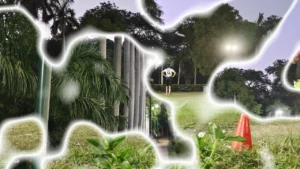
Texture Based Video Transition

A fully customizable texture-based wipe transition for DaVinci Resolve. Create smooth, organic, or stylized wipe effects with adjustable texture controls.

Liquid Glass Effect Lite

Create sleek, minimal liquid glass effects in DaVinci Resolve with this free, easy-to-use Fusion template. Adjustable shape, liquify, blur, and outline controls.

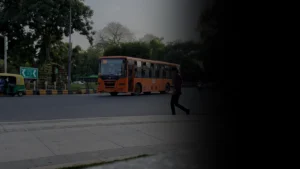
Shadow Wipe Video Transition

Shadow Wipe is a clean, minimal transition where a shadow sweep smoothly covers the first clip and reveals the next. Use the Invert checkbox to switch the direction.

Heat Wave and Mirage Distortion

Add natural heat haze and mirage distortion to your footage. This drag and drop Heat Haze effect template creates realistic thermal waves, shimmering air, and cinematic heat distortion.

Random Reveal Lower Third

Random Reveal Lower Third designed for creators who want a clean, modern, and organic lower third animation without unnecessary complexity.

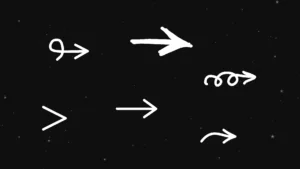
Arrow Generators

A collection of arrow generators for DaVinci Resolve, featuring draw-on and blink animation controls with adjustable center position, size, thickness, spacing, color, and more.

Directional Slide Text Animation​

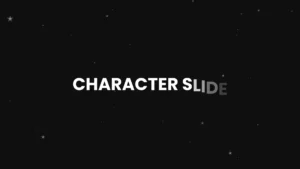
Add smooth sliding motion to your titles with this lightweight, customizable title template for DaVinci Resolve that lets your text slide in from any direction.

Circle Highlight and Zoom

Highlight important details with a stylish circular focus effect. Ideal template for tutorials and demo videos, zoom into any circular area with ease.

Rectangle Highlight and Zoom

Draw attention to key areas of your video with a smooth rectangular highlight and zoom animation. Template made for tutorial and explainer videos.

How to Install Free Templates in DaVinci Resolve

  • Download the template pack (ZIP file).
  • Unzip the downloaded file to reveal the .drfx file.
  • Double-click the .drfx file to open the installation window.
  • Click Install (or Overwrite if you are updating a template).
  • Restart DaVinci Resolve.
  • Find your new effect under the Effects panel on the Edit page — or search by template name.

FAQs - Free DaVinci Resolve Templates

Are these templates really free?

Yes. All templates listed here are free to download and use in your projects.

Yes. All free templates come with a standard license that allows personal and commercial use (but not redistribution).

Free templates include the core effect. Premium templates add advanced features to make the edit more engaging and professional.

No. All templates are compatible with both the free and Studio versions.

Looking for More?

If you’re enjoying these free templates, you might also like our premium-quality DaVinci Resolve templates, designed for professional editors and creators who want cinematic results with minimal effort.

Explore the full collection here: DaVinci Resolve Templates