
USD
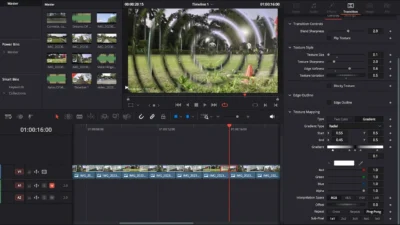


Free Customizable Cinematic Transition Template for DaVinci Resolve | Texture Wipe
USD
A fully customizable texture-based wipe transition for DaVinci Resolve. Create smooth, organic, or stylized wipe effects with adjustable texture controls, outlines, and mapping options.
$0.00
Create cinematic texture wipe transitions in seconds
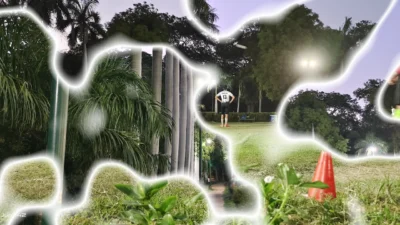
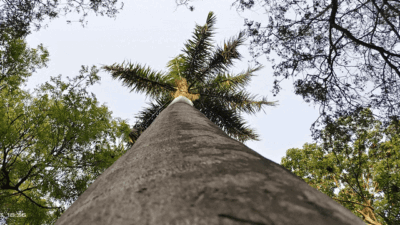
Texture Wipe is a fully customizable video transition for DaVinci Resolve that creates smooth, organic, and texture-based wipe effects between clips. This video transition template helps you create a soft cinematic dissolve, a cloudy fluid wipe, a blocky textured reveal, or a stylized mapped transition, all with full creative control over the transition look.
With clean and intuitive controls, you can easily adjust the texture style, blend behavior, edge softness, outline look, and advanced texture mapping to create endless transition variations. From natural organic wipes to bold stylized transitions, this template adapts to any editing style.
This transition is perfect for travel videos, cinematic edits, vlogs, sports videos, documentaries, event films, YouTube content, short films, and social media reels.
Features of this Template
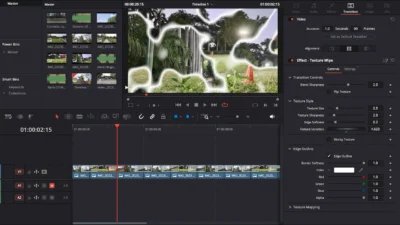
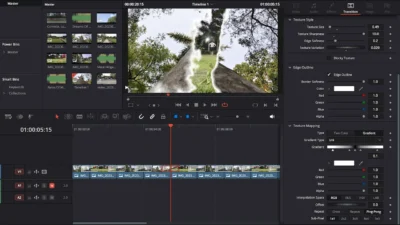
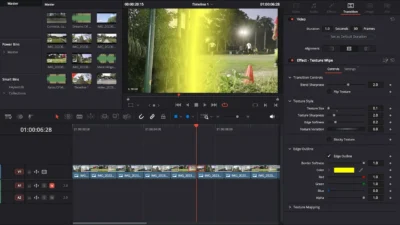
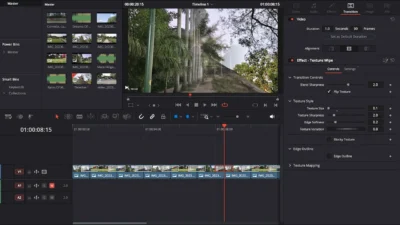
- Fully Customizable Texture Wipe: Design your own wipe style using controls for Texture Size, Texture Sharpness, Variation, Blocky Texture, and Flip Texture. Create soft, smooth blends or sharp, bold cut-style transitions.
- Natural or Stylized Transition Looks: Fine-tune how the two clips blend using Blend Sharpness and Edge Softness. Add an optional Edge Outline for a premium stylized highlight between clips.
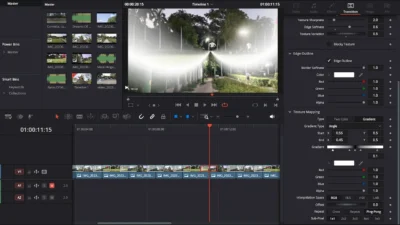
- Advanced Texture Mapping: Use Two-Color or Gradient Mapping to reshape the transition texture. Experiment with Uni, Cross, Radial, and other mapping types to create unique wipe patterns and dynamic transition effects.
- Beginner-Friendly & Clean Controls: Organized into clear sections so you can adjust the look without confusion. No technical knowledge required – just drag, drop, and customize.
- 100% Fusion-Based – No Plugins: Built entirely inside Fusion. Works on both Free and Studio versions of DaVinci Resolve with smooth performance.
Compatibility
- Software: Fully compatible with DaVinci Resolve (Free & Studio). Recommended for version 18.0 or later
- Operating Systems: Windows & macOS supported
No external plugins required – 100% Fusion procedural transition.
What is Included
Inside the ZIP package, you will find:
- TextureWipe.drfx – Installable transition template file
- README.txt – Quick installation and usage guide
Installation Guide
- Download and unzip the package.
- Double-click TextureWipe.drfx to install the transition.
- Click Install when prompted (or Overwrite if updating).
- Restart DaVinci Resolve.
- In the Edit Page, open:
- Effects Library -> Toolbox -> Video Transitions -> DvBlend -> Texture Wipe
- (You can also search for “Texture Wipe” in the search bar)
How to Use
- In the Edit Page, drag and drop Texture Wipe between two clips.
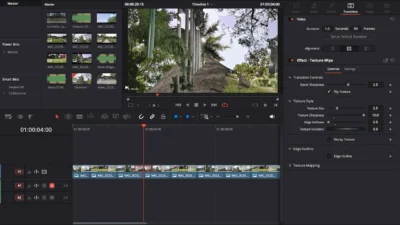
- Select the transition and open Inspector -> Transition -> Texture Wipe.
- Adjust:
- Blend Sharpness and Edge Softness to set the blend style
- Texture Size & Sharpness to define the wipe’s visual texture
- Blocky Texture or Flip Texture for unique variations
- Edge Outline for a premium outlined effect
- For advanced custom looks, open Texture Mapping and try Gradient modes like Uni, Cross, or Radial.
- Play the transition to preview your style and refine if needed.
You may also like…

Related products
-
Circle Highlight and Zoom Effect for DaVinci Resolve | Smart Circle Focus
$5.88 -

Circle Layer Float Motion Background Generator for DaVinci Resolve
$4.99 -
Free Circle Highlight and Zoom Template for DaVinci Resolve | Smart Circle Focus Free
$0.00 -
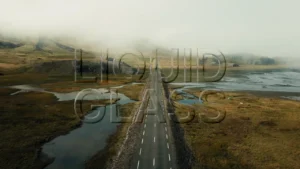
Liquid Glass Title Template for DaVinci Resolve | Liquid Glass Title
$2.00



Reviews
There are no reviews yet.