
USD
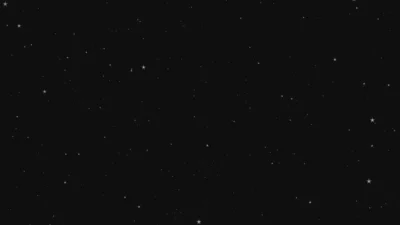
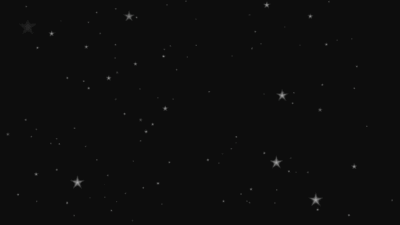
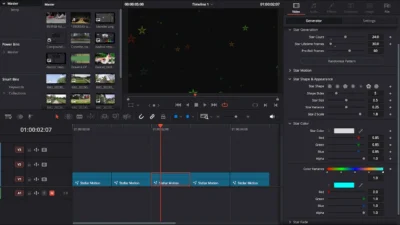
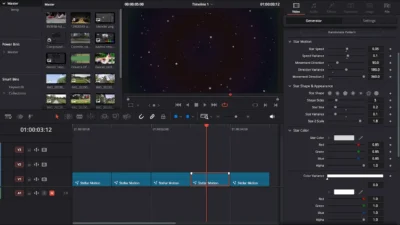
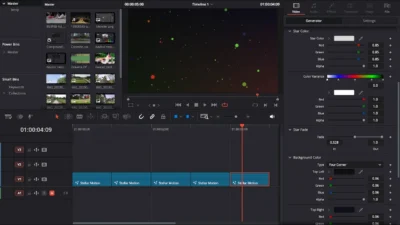


Star and Particle Motion Background Generator for DaVinci Resolve | Stellar Motion
USD
A fully customizable star and particle motion background generator for DaVinci Resolve. Adjust star count, motion, colors, shapes, fade, background style, and more with ease. Just drag, drop and customize.
$4.99
Generate star and particle based motion background in seconds
Stellar Motion is a fully customizable background generator for DaVinci Resolve that creates dynamic starfields and particle-based motion visuals with ease. If you want a subtle moving backdrop or a more energetic particle flow, this generator gives you complete creative control.
With intuitive, well-organized controls, you can design endless variations of starry skies, particle motion backgrounds, colored abstract visuals, galaxy-style starfields, and more. Adjust star count, motion, shape, color, fade behavior, and even the background style to match any type of video.
This generator is ideal for intros, titles, sci-fi scenes, cinematic videos, educational content, YouTube videos, tech edits, and aesthetic visuals.
Features of this template
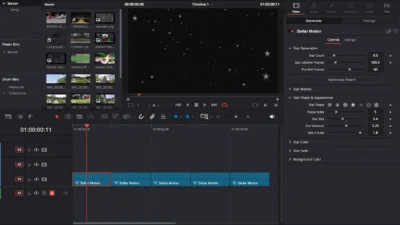
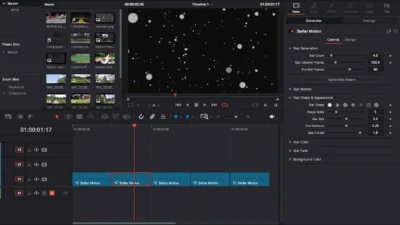
- Fully Customizable Star & Particle Generator: Control exactly how many stars/particles appear on screen using the Star Count slider. Adjust their visible duration with Star Lifetime and begin with an already-filled scene using Pre-Roll Frames.
- Natural & Dynamic Motion Controls: Fine-tune how your stars move using Star Speed, Movement Direction, Direction Variance, and more to create subtle drift or high-energy motion. Includes Z-axis movement for added depth.
- Star Shape & Appearance Options: Choose from multiple star and particle shapes using the Star Shape presets. Customize geometry with Shape Sides and control size, variation, and scale depth to match any look.
- Color & Variance for Realistic or Stylized Looks: Design clean white starfields or vibrant abstract motion by adjusting Star Color and Color Variance. Create realistic star tones or multicolored particle motion with ease.
- Smooth Fade In/Out Behavior: Refine how each star/particle appears and disappears over time using the Star Fade controls for a polished and natural motion effect.
- Adjustable Background Styles: Choose between solid, gradient, horizontal, vertical, or multi-color backgrounds to fit the style of your edit, from cinematic dark space to colorful motion design.
Compatibility
- Software: Fully compatible with DaVinci Resolve (Free & Studio versions). Recommended for version 18.0 or later for best performance.
- Operating Systems: Works on Windows and macOS
- No plugins required – 100% Fusion-based and procedural.
What’s Included
Inside the ZIP package, you’ll find:
- StellarMotion.drfx: The installable template file
- README.txt: Quick installation and usage guide
Installation Guide
- After downloading, unzip the package to access its contents.
- Double-click StellarMotion.drfx to install the template.
- Click Install when prompted (or Overwrite to update).
- Restart DaVinci Resolve.
- In the Edit Page, open:
- Effects Library -> Toolbox -> Generators -> DvBlend -> Stellar Motion
- You can also search “Stellar Motion” in the search bar
How to Use
- In the Edit Page, drag and drop Stellar Motion onto your timeline.
- Select the generator clip and open the Inspector -> Video -> Generator tab.
- Adjust Star Count, Star Speed, and Star Shape to define the look.
- Use Color and Fade settings to create your preferred mood and style.
- Switch background style between solid or gradient to suit your project theme.
- Preview your animation in real time and refine the settings as needed.
Related products
-
Slide Text Animation Template for DaVinci Resolve | TextFlow 12 – Directional Slide
$3.88 -

Free Shadow Wipe Transition Template for DaVinci Resolve | Shadow Wipe Free
$0.00 -
Free Rectangle Highlight and Zoom Template for DaVinci Resolve | Smart Rectangle Focus Free
$0.00 -
Dynamic RGB Split Effect Template for DaVinci Resolve
$6.99


Reviews
There are no reviews yet.