
USD



Circle Highlight and Zoom Effect for DaVinci Resolve | Smart Circle Focus
USD
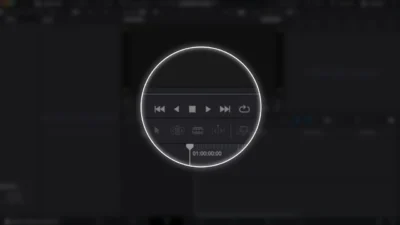
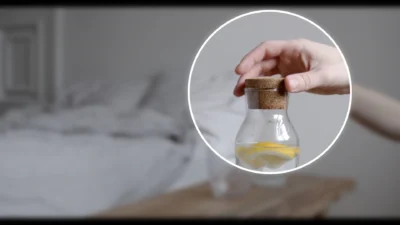
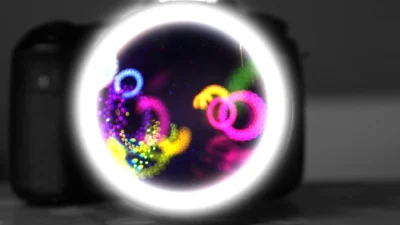
Instantly draw attention to any area of your video with a clean, circular focus effect. Smart Circle Focus lets you highlight, zoom, and emphasize any part of your footage with smooth animations and complete creative control.
$5.88
Highlight Any Area with Circular Focus in DaVinci Resolve
The Smart Circle Focus is a powerful effect template designed to instantly highlight and zoom into any part of your footage in circle shape. Unlike the free edition, this premium version gives you complete creative control, making it a must-have for educators, content creators, app demo producers, and anyone who needs to guide audience attention with precision.
Features
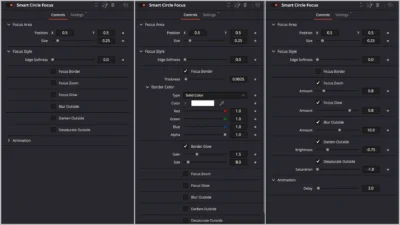
- Fully customizable circular border highlight
- Smooth zoom in/out animations that adapt to clip length
- Adjustable animation delay (speed control)
- Position and resize the focus area with ease
- Zoom controls (on/off toggle + amount)
- Border color & width control
- Border glow (size & gain)
- Inner glow inside the focus area
- Blur outside the focus area
- Darken outside the focus area
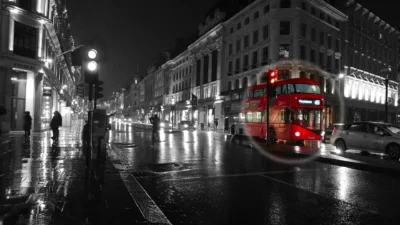
- Black & white effect outside the focus area
Compatibility
- DaVinci Resolve (Free or Studio) – version 18 or later recommended
- Works on Windows, Mac, and Linux
What is included
You will receive a ZIP file containing:
- SmartCircleFocus.drfx (one-click install template file)
- README.txt (installation & usage instructions)
Installation
- Unzip the download.
- Double-click SmartCircleFocus.drfx.
- Click Install (or Overwrite if updating), then restart Resolve.
- Find it under Effects > Toolbox > Effects > DvBlend (or use the search bar).
- Find it listed as Smart Circle Focus.
How to Use
- Drag & drop the effect onto any clip (or an Adjustment Clip to affect multiple clips).
- The effect auto-adapts to your clip length.
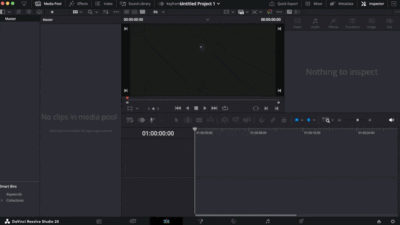
- In the Inspector, set the focus area and tweak border, zoom, and other controls.
- Use the Delay slider to fine-tune fade-in and fade-out speed.
- Tip: For multi-shot sequences, place the effect on an Adjustment Clip above your edits for consistent styling and easier tweaks.
Related products
-
Free Customizable Cinematic Transition Template for DaVinci Resolve | Texture Wipe
$0.00 -
Corner Highlight and Zoom Effect for DaVinci Resolve | Smart Corner Focus
$6.99 -
Rectangle Highlight and Zoom Effect for DaVinci Resolve | Smart Rectangle Focus
$5.88 -
Smooth Color Glow Wipe Transition Template for DaVinci Resolve | Radiant Linear Wipe
$1.99




Reviews
There are no reviews yet.