
USD

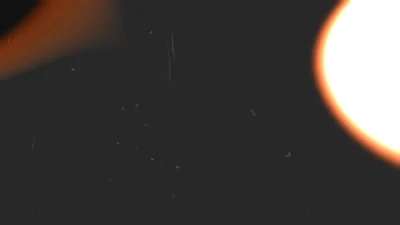

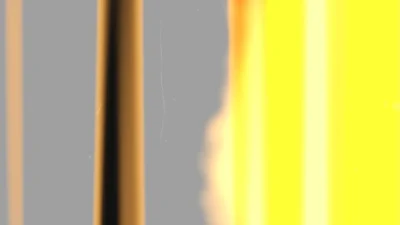




Film Burns & Light Leaks Pack for DaVinci Resolve | 6 Cinematic Transitions
USD
Cinematic Film Burns & Light Leaks transitions for DaVinci Resolve. Includes 6 drag-and-drop templates with organic motion, glow, and full customization.
Original price was: $7.99.$6.39Current price is: $6.39.
Film Burns & Light Leaks Cinematic Transition Templates for DaVinci Resolve
Film Burns & Light Leaks Pack is a professionally designed collection of drag-and-drop cinematic transition templates for DaVinci Resolve. This pack includes six unique transitions combining realistic film burns and dynamic light leaks, crafted to enhance your edits with organic motion, natural glow, and analog-style imperfections.
Each template is fully procedural and built inside Fusion, featuring a clean and intuitive Inspector interface. You can control shape, movement, color, glow, and flicker directly from the Edit page without opening the Fusion page.
These transitions are ideal for cinematic edits, vintage film aesthetics, dramatic scene changes, and stylized visual storytelling across a wide range of projects.
Features of this pack
- Six customizable cinematic transition templates
- Realistic film burn and light leak effects
- Drag-and-drop workflow directly on the Edit page
- Fully procedural and built inside Fusion
- Clean and organized Inspector controls
- Adjustable shape, motion, glow, color, and flicker
- Multiple styles and direction controls (where applicable)
- Custom color support with gradient options (Light Leaks)
- Optimized for smooth playback and performance
- No external plugins required
Included Templates
- Light Leaks: Soft, glowing light transitions with multiple styles, directional control, and preset color themes. Includes custom color mode with gradient support for full creative flexibility.
- Film Burns: Classic film burn effects with multiple preset styles ranging from subtle to intense. Designed for quick application with minimal controls and consistent results.
- Directional Edge Burn: Burn transition that travels across the frame in selectable directions. Fully customizable shape, speed, and motion behavior.
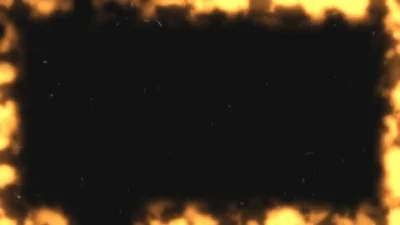
- Frame Burn: Perimeter-based burn effect that simulates film edge damage. Includes controls for frame thickness, edge softness, and burn behavior.
- Organic Film Burn: Highly dynamic and natural burn effect using layered noise. Offers deeper control over variation, movement, and organic behavior.
- Organic Light Leak: Smooth and evolving light leak with natural motion, glow, and flicker. Ideal for atmospheric transitions and cinematic overlays.
Core Controls
All templates are designed with clean, structured Inspector controls for fast and intuitive customization directly on the Edit page.
Common Controls (varies by template)
- Scale, Detail, and Roughness to define the shape and texture
- Speed and Drift to control motion behavior
- Glow Size and Glow Intensity for light enhancement
- Hue, Saturation, and Brightness for color adjustment
Template-Specific Controls
- Light Leaks
- Multiple built-in style variations
- Direction control (including diagonal movement)
- Preset color styles
- Custom color mode with gradient support
- Film Burns
- Multiple burn styles (Flash, Heavy, Soft, Dirty, Flow, Leader Flash)
- Simplified controls for quick and consistent results
- Directional Edge Burn
- Direction-based burn movement (4 directions)
- Flicker Intensity and Flicker Speed
- Adjustable burn shape and motion
- Frame Burn
- Frame Thickness control
- Edge Softness adjustment
- Smooth Edges toggle
- Optional Film Dirt overlay
- Organic Film Burn
- Enhanced organic motion with layered variation
- Greater control over movement and burn behavior
- Flicker-based energy variation
- Organic Light Leak
- Natural light movement with organic variation
- Flicker controls for dynamic light behavior
- Smooth glow and color control
Compatibility
- Software: DaVinci Resolve 20 or newer (Free and Studio versions supported)
- Operating Systems: Windows, macOS, and Linux
What Is Included
You will receive a ZIP file containing:
- FilmBurnsLightLeaksPack.drfx (installable file with all 6 templates)
- README.txt
How to Install
- Download and unzip the package.
- Double-click the FilmBurnsLightLeaksPack.drfx file to install the template in DaVinci Resolve.
For detailed step-by-step instructions: How to Install DaVinci Resolve Templates (.drfx Files)
How to Use
- Open the Edit Page in DaVinci Resolve
- Go to the Effects Library → Toolbox → Video Transitions → DvBlend
- Drag and drop any template between clips
- Select the effect and open the Inspector
- Adjust parameters such as shape, motion, glow, color, and flicker
- Preview and fine-tune to match your edit
Related products
-
Slide Text Animation Template for DaVinci Resolve | TextFlow 12 – Directional Slide
$3.88 -
Animated Grid Background Generator for DaVinci Resolve | Dynamic Grid
$3.99 -
Free Heat Wave and Mirage Distortion Template for DaVinci Resolve | Heat Haze
$0.00 -
Rectangle Highlight and Zoom Effect for DaVinci Resolve | Smart Rectangle Focus
$5.88

Reviews
There are no reviews yet.