$ USD
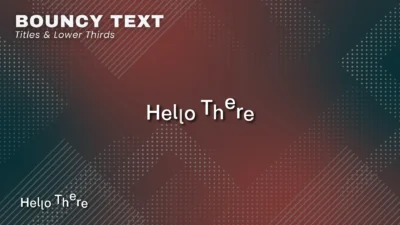
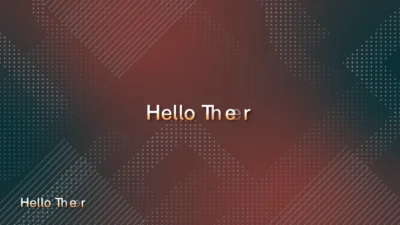
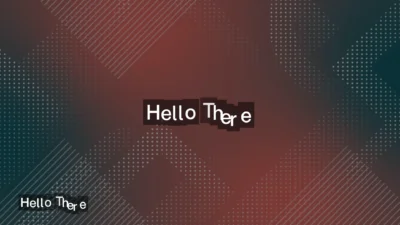
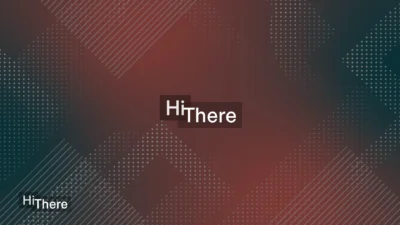
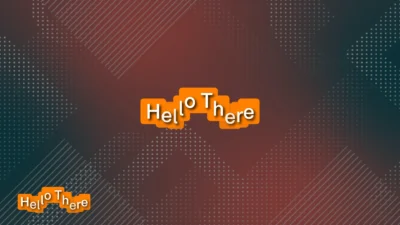


Bouncy Text Animation Titles & Lower Thirds for DaVinci Resolve
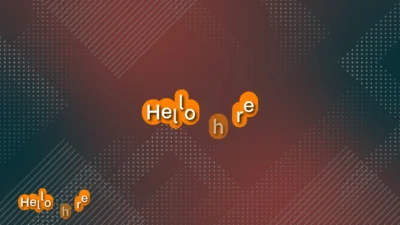
Create smooth bouncy text animations in DaVinci Resolve with 4 customizable title and lower third templates. Add professional text animations with elastic motion, multiple animation directions, reveal orders, adjustable timing, and more.
$7.99
Create smooth, customizable bouncy text animations right from the DaVinci Resolve Edit page
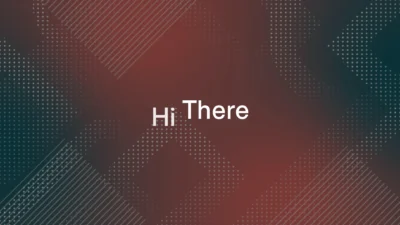
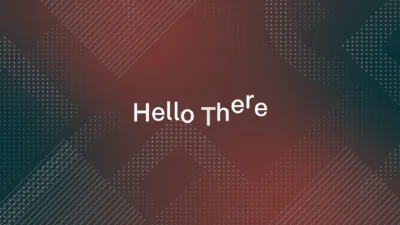
Bouncy Text Animation Titles & Lower Thirds for DaVinci Resolve is a collection of professionally designed Fusion title templates for creating smooth, engaging character-by-character and word-by-word text animations. The pack includes 4 ready-to-use animated text templates with customizable animation, typography, background, shadow, glow, and layout controls.
Create dynamic bouncy text effects with smooth elastic motion and customizable animation timing. Choose the animation direction, entry distance, duration, reveal order, and easing settings to create the exact look you need.
You can use these animated text titles and lower thirds for a variety of projects such as YouTube videos, social media content, promotional videos, advertisements, tutorials, presentations, reels, intros, motion graphics, and other video projects that need clean and engaging typography.
Every template is designed to be easy to customize directly from the Inspector, giving you control over both the animation and visual appearance without manually keyframing.
Included Templates
4 Animated Text Templates
- Bouncy Characters – Character-by-character bouncy text animation.
- Bouncy Characters Lower Third – Character-by-character bouncy animation designed for lower third layouts.
- Bouncy Words – Word-by-word bouncy text animation.
- Bouncy Words Lower Third – Word-by-word bouncy text animation designed for lower third layouts.
Features
- Character-by-character and word-by-word text animation
- Smooth elastic bounce animation
- Multiple animation directions
- Customizable animation duration
- Adjustable entry distance
- Multiple reveal order options for character animations
- Optional exit animation
- Customizable Ease In and Ease Out presets
- Custom text, font, style, size, spacing, and color controls
- Position, anchor, and rotation controls
- Optional animated text background
- Customizable background level, padding, corner radius, softness, color, and opacity
- Optional text shadow with adjustable softness, color, and opacity
- Optional glow with adjustable intensity and size
- Clean and organized Inspector controls
- No third-party plugins required
Compatibility
- Software: DaVinci Resolve 20 and newer (Free and Studio versions supported)
- Operating Systems: Windows and macOS
What You Will Receive
You will receive a ZIP file containing:
- Bouncy_Text_Animation_Titles.drfx – Installable DaVinci Resolve template pack containing all 4 animated text templates.
- Font Files – A folder containing the fonts used as the default fonts in the templates.
- README.txt – Installation instructions and quick start guide.
How to Install
- Download the ZIP package.
- Extract the ZIP file.
- Open the Font Files folder and extract Momo_Trust_Sans.zip.
- Install the Momo Trust Sans font on your computer before using the templates.
- Double-click Bouncy_Text_Animation_Titles.drfx.
- Click Install (or Overwrite if updating an existing version).
- After installation, open the Edit page and navigate to Effects Library → Toolbox → Titles → DvBlend → Bouncy Text to find the templates.
- You can also use the Effects Library search bar to quickly find the templates by searching for terms such as Bouncy, Bouncy Words, or Bouncy Characters.
- If the templates do not appear immediately in the Effects Library, restart DaVinci Resolve.
For detailed step-by-step instructions: How to Install DaVinci Resolve Templates (.drfx Files)
How to Use
- Open the Edit page in DaVinci Resolve.
- Open the Effects Library and navigate to Titles → DvBlend → Bouncy Text.
- Drag the desired text template onto the timeline.
- Select the template clip and open the Inspector.
- Enter your own text and customize the font, size, color, spacing, and layout.
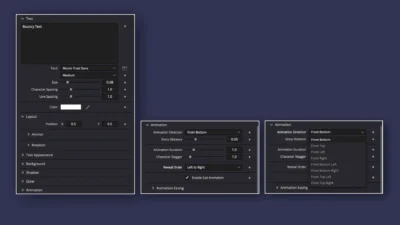
- Adjust the animation direction, entry distance, duration, reveal order, and easing settings.
- Optionally enable and customize the background, shadow, and glow.
Customization
Every template includes professionally organized Inspector controls, making it quick and easy to customize the text animation and appearance directly inside DaVinci Resolve.
Text
- Custom text
- Font family and style
- Font size
- Character spacing
- Line spacing
- Text color
- Text opacity
- Position and anchor controls
- Rotation controls
Animation
- Animation direction: From Bottom, From Top, From Left, From Right, From Bottom Left, From Bottom Right, From Top Left, and From Top Right
- Entry distance
- Animation duration
- Character stagger
- Reveal order for character animations: Left to Right, Right to Left, Inside Out, Outside In, Random but One by One, and Completely Random
- Optional exit animation
- Ease In and Ease Out presets
Background
- Enable or disable text background
- Background level: Character, Word, Line, or Text
- Horizontal and vertical padding
- Corner radius
- Background softness
- Background color
- Background opacity
- Background animation easing
Shadow
- Enable or disable shadow
- Shadow color
- Shadow softness
- Shadow opacity
Glow
- Enable or disable glow
- Glow intensity
- Glow size
- Lock X/Y glow size
Why You Will Love It
Instead of building a character or word-based text animation from scratch, this pack gives you 4 ready-to-use animated text templates that can be customized directly from the Inspector.
Simply choose the template you need, replace the text, adjust the animation and styling, and you’re ready to create polished animated typography for your project.
With character and word animation options, dedicated lower third versions, flexible animation controls, and optional background, shadow, and glow styling, the pack gives you a simple way to create professional bouncy text animations in DaVinci Resolve.
No Plugins Required
Built entirely with native Fusion tools, this pack requires no third-party plugins, scripts, or additional software.
Simply install the included .drfx file and start creating smooth, customizable bouncy text animations, animated titles, and lower thirds directly inside DaVinci Resolve.
Related products
-
YouTube Like and Subscribe Animation Titles for DaVinci Resolve | YouTube CTA Pack
$9.00 -
Free Shadow Wipe Transition Template for DaVinci Resolve | Shadow Wipe Free
$0.00 -
Floating Circle Outline and Highlight Effect for DaVinci Resolve | Open Circle Focus
$6.00 -
Free Character Slide Text Animation Template for DaVinci Resolve
$0.00