
USD
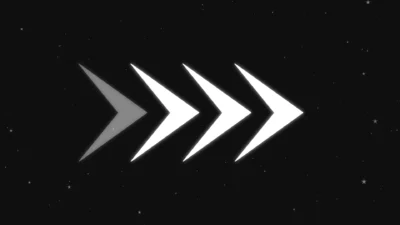
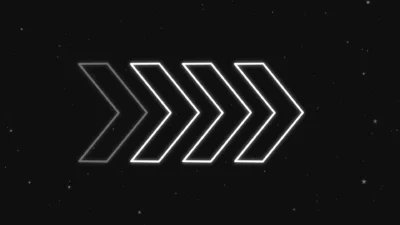
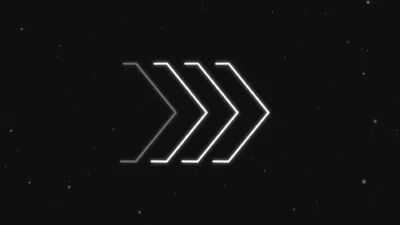
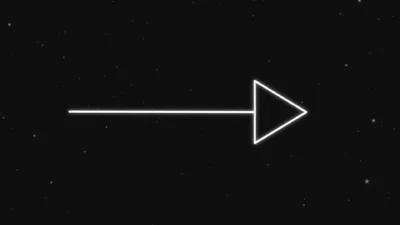
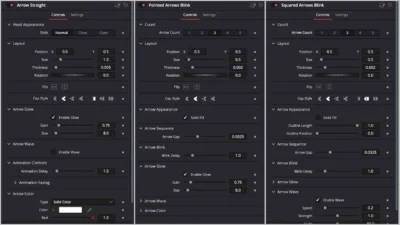


Ultimate Arrow Animation Generator Pack for DaVinci Resolve
USD
A complete set of arrow animation generators for DaVinci Resolve. Build straight, curved, blinking, and fully editable arrows with adjustable shape, color, glow, waviness, and timing. Designed in Fusion for smooth, professional motion and fast customization.
$9.99
Create animated arrows in DaVinci Resolve with full customization
This Arrow Animation Pack gives editors a complete set of customizable arrow generators for DaVinci Resolve. Each preset is built inside Fusion and designed for clean motion, accurate timing, and simple control over shape, style, and appearance.
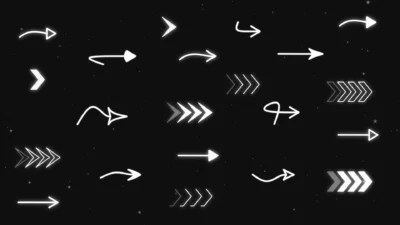
The pack includes straight arrows, curved arrows, fully editable arrows, and two blinking multi-arrow sequences in pointed and squared styles. Every preset includes controls for size, thickness, angle, glow, waviness, color, and timing, allowing creators to match any project style with just a few adjustments.
You can drag and drop any arrow onto the timeline, rotate it, flip it, reshape it, change its head style, animate its curve, adjust its timing, or design a new arrow entirely using the Arrow Editable Shape preset.
These tools are suited for tutorials, UI highlights, maps, diagrams, motion graphics, explainers, travel videos, gaming edits, and any content that benefits from clean directional animation.
All templates are optimized for speed and organized for fast workflow in the Inspector.
Features of this Preset Pack
- General Features
- Built natively inside Fusion
- Fully customizable controls in the Inspector
- Adjustable size, thickness, angle, color, timing, glow, and waviness
- Works in both outline and solid styles
- Procedural timing that adapts to clip trimming
- Drag-and-drop workflow with no external plugins
- Arrow Straight – Key Features
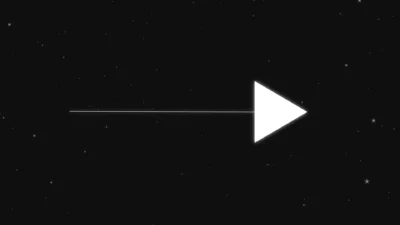
- Clean straight arrow with three head styles
- Adjustable size, thickness, angle, and cap style
- Optional glow and animated waviness
- Timing controls with easing options
- Arrow Curved – Key Features
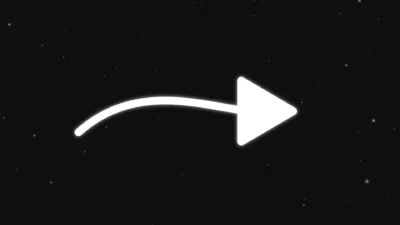
- Smooth curved-body arrow with three head styles
- Curve controlled through transform and angle adjustments
- Glow, waviness, timing, and easing included
- Suitable for flow paths, direction indicators, and map movements
- Arrow Editable Shape – Key Features
- Create any arrow form with editable body and head points
- Supports straight designs, curves, loops, S-curves, and hand-drawn styles
- Full control over head geometry
- Glow, size, color, and timing included
- Most versatile arrow preset for custom shapes
- Squared Arrows Blink – Key Features
- Sequential blinking animation in squared arrow style
- Arrow count adjustable from 1 to 5
- Solid and outline modes
- Length and position controls for short or full arrows
- Adjustable spacing with Gap control
- Great for motion direction cues and fast transitions
- Pointed Arrows Blink – Key Features
- Sequential blinking animation in pointed arrow style
- Adjustable arrow count, length, position, and glow
- Outline or solid appearance
- Ideal for energetic edits, indicators, and highlights
Compatibility
- DaVinci Resolve 18 and newer
- Works in Free and Studio versions
- Windows, macOS, and Linux supported
- Runs on the Edit Page as Fusion-based generators
What is included
You will receive a ZIP file containing:
- ArrowAnimationPack.drfx (Installable template file containing all 5 premium arrow generators)
- A README.txt (Installation and usage instructions)
How to install
- Unzip the downloaded ZIP file.
- Double-click ArrowAnimationPack.drfx file. This single file installs all 5 arrow generator presets at once.
- Click Install or Overwrite if updating.
- Restart DaVinci Resolve.
- You will find the arrows here on the Edit Page:
- Effects > Toolbox > Generators > DvBlend
- Tip: Use the search bar and type “Arrow” to locate them quickly.
How to Use
- Drag any arrow preset onto your timeline.
- Select the clip and open Inspector > Video > Generators.
- Adjust size, thickness, angle, center position, and cap style.
- Change head style, glow, waviness, and color as needed.
- For Editable Shape: Choose Arrow Editable Shape and adjust the body and head points to create custom arrow designs.
- For blinking presets: Set the arrow count, spacing (gap), length, outline/solid style, and blinking delay.
- Animation: Fine-tune motion using the Delay and Easing options in the Animation section.
All adjustments update instantly and adapt automatically when the clip is trimmed.
Related products
-
Text Reveal Inward & Outward Titles for DaVinci Resolve | 6 Animation Presets
$8.00 -
Free Slide Text Animation Template for DaVinci Resolve | TextFlow 12 – Directional Slide Free
$0.00 -
Animated Grid Background Generator for DaVinci Resolve | Dynamic Grid
$3.99 -
Floating Circle Outline and Highlight Effect for DaVinci Resolve | Open Circle Focus
$6.00

Reviews
There are no reviews yet.