
$ USD
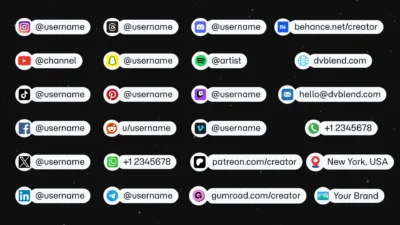
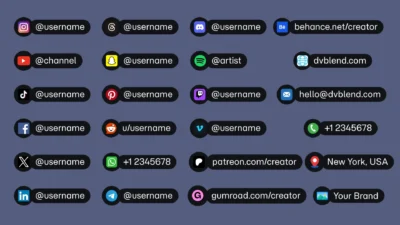
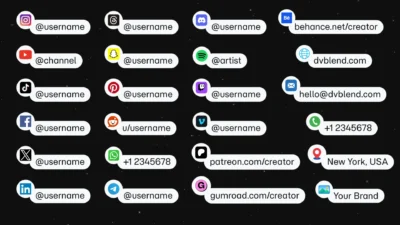
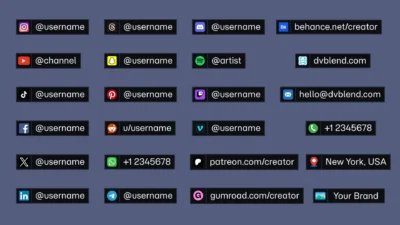
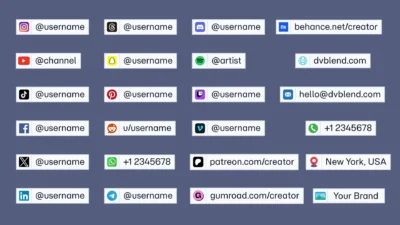
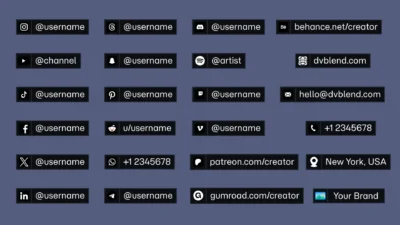
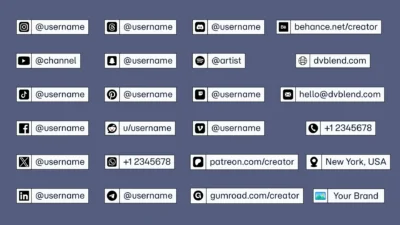
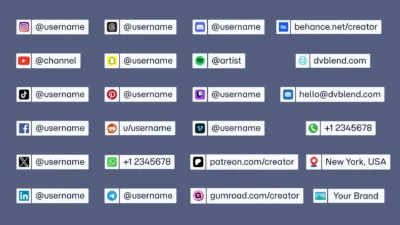
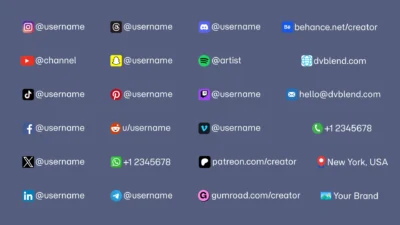
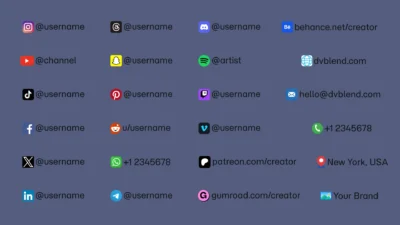


DaVinci Resolve Social Media Pack | 23 Social Media Handles, Animated Titles, Lower Thirds & Icon Generators
Create professional social media handles, titles, lower thirds, and animated icon generators for DaVinci Resolve. Includes 23 built-in social media platforms, custom media support, multiple styles, and no external plugins required.
$19.00
- Instant download
- One-click
.drfxinstallation - Free & Studio compatible
- Customizable Inspector controls
Create professional social media handles, animated icons, clean titles, and lower thirds
DaVinci Resolve Social Media Pack is a collection of professionally designed Fusion templates that make it easy to showcase your social media presence with clean animations and fully customizable layouts. Display usernames, websites, email addresses, phone numbers, locations, or your own custom branding in just a few clicks.
This pack helps you create polished social media graphics that blend seamlessly into any video like podcasts, documentaries, tutorials, interviews, travel films, product showcase, etc.
The pack has multiple handle styles, animated icon generators, clean title templates, lower thirds, support for 23 built-in social media platforms, and custom media versions that let you use any logo or image.
Every template is built entirely inside Fusion, optimized for smooth performance, and works with both the Free and Studio versions of DaVinci Resolve without requiring any third-party plugins.
Included Templates
Titles
- Social Media Capsule
- Custom Media Capsule
- Social Media Card
- Custom Media Card
- Clean Title
- Clean Lower Third
Generators
- Social Media Icon Pop
- Custom Media Icon Pop
Built-in Social Media Platforms
Choose from 23 built-in platforms directly from the Inspector.
- YouTube
- TikTok
- X (Twitter)
- Threads
- Snapchat
- Telegram
- Discord
- Spotify
- Twitch
- Vimeo
- Patreon
- Gumroad
- Behance
- Website
- Phone Call
- Location
Do not see the platform or brand you need? No problem. The included Custom Media templates let you import any logo, icon, or image while keeping the same professional animations, customization options, and workflow as the built-in platform versions.
Features
- 8 professionally designed Fusion templates
- 23 built-in social media platforms
- Custom Media templates supporting any logo, icon, or image
- Multiple social media handle styles
- Animated social media icon generators
- Clean Title and Clean Lower Third templates included
- Smooth entrance and optional exit animations
- User-selectable animation easing presets
- Fully editable text, fonts, colors, and layouts
- Automatic background resizing based on text length
- One-click Light and Dark theme presets
- Advanced icon, panel, border, and shadow customization
- Drag-and-drop workflow
- Professionally organized Inspector controls
- Built entirely inside Fusion
- Optimized for smooth performance
- No external plugins required
Compatibility
Software
- DaVinci Resolve 20 and newer
- Free and Studio versions supported
Operating Systems
- Windows
- macOS
- Linux
What You will Receive
You will receive a ZIP file containing:
- Social_Media_Pack.drfx – Installable DaVinci Resolve template pack.
- Font Files – Includes the free Momo Trust Sans font used in the preview for a matching appearance.
- README.txt – Installation instructions and quick start guide.
How to Install
- Download the ZIP package.
- Extract the ZIP file.
- Install the included Momo Trust Sans font (recommended for the same appearance shown in the preview).
- Double-click Social_Media_Pack.drfx.
- Click Install (or Overwrite if updating an existing version).
- If the template don’t appear immediately, restart DaVinci Resolve.
For detailed step-by-step instructions: How to Install DaVinci Resolve Templates (.drfx Files)
How to Use
Social Media Handles & Titles
- Open the Edit page in DaVinci Resolve.
- Open the Effects Library and navigate to Titles → DvBlend.
- Drag your desired template onto the timeline.
- Select the title and open the Inspector.
- Choose one of the 23 built-in platforms, or use a Custom Media template to import your own logo or icon.
- Enter your username or customize the text.
- Adjust the available settings, including colors, fonts, layout, icon appearance, borders, shadows, and animations to match your project.
Social Media Icon Generators
- Open the Edit page in DaVinci Resolve.
- Open the Effects Library and navigate to Generators → DvBlend.
- Drag your desired icon generator onto the timeline.
- Choose one of the 23 built-in platforms, or use the Custom Media version to import your own logo or icon.
- Customize the icon’s appearance, layout, colors, and animation settings to suit your project.
Customization
Every template includes professionally organized Inspector controls, making it quick and easy to personalize your graphics.
Depending on the selected template, you can customize:
Text
- Username and title text
- Font family and style
- Font size
- Character spacing
- Text color
- Solid, image, or gradient text appearance
Layout
- Position
- Rotation
Icons & Media
- Choose from 23 built-in social media platforms
- Or import your own logo, icon, or image with the Custom Media templates
- Icon size
- Icon position
- Icon background
- Background size
- Background corner radius
- Edge softness
- Icon colors (Card templates)
Panels & Backgrounds
- Show or hide the username panel
- Horizontal and vertical padding
- Corner radius
- Edge softness
- One-click Light and Dark theme presets
- Custom background colors
- Solid and gradient background support
Borders & Shadows (Card Templates)
- Show or hide icon and panel borders
- Border width
- Border color
- Border coverage
- Border offset
- Adjustable drop shadow
Animation
- Entrance delay
- Icon animation timing
- Slide animation timing
- Multiple easing presets
- Optional exit animation
Why You will Love It
Instead of using a single template for every project, this pack includes multiple professionally designed styles to match different editing workflows.
Choose between Capsule and Card layouts, use the built-in platform icons or import your own custom media, animate individual icons with the included generators, and customize everything from colors and borders to shadows, typography, and animation, all from a clean, organized Inspector controls.
No Plugins Required
Built entirely with native Fusion tools, this pack requires no third-party plugins, scripts, or additional software.
Simply install the included .drfx file and start creating professional social media graphics directly inside DaVinci Resolve.
Related products
-

Free Heat Wave and Mirage Distortion Template for DaVinci Resolve | Heat Haze
$0.00 -
Circle Highlight and Zoom Effect for DaVinci Resolve | Smart Circle Focus
$5.99 -
Free Character Slide Text Animation Template for DaVinci Resolve
$0.00 -
Free Rectangle Highlight and Zoom Template for DaVinci Resolve | Smart Rectangle Focus Free
$0.00