$ USD


DaVinci Resolve Flicker Text Animation Pack – Neon, Signal, Pulse & Strobe Title Templates with Lower Thirds
8 flicker text animation templates for DaVinci Resolve. Includes neon, signal, pulse & strobe titles with lower thirds. Fully customizable, no plugins required.
$9.99
A powerful set of flicker-style titles and lower thirds for modern video projects
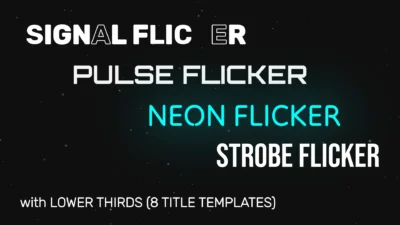
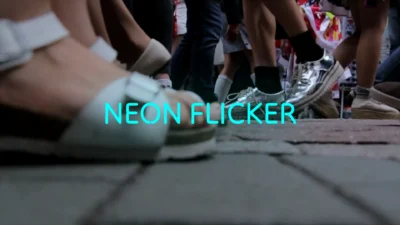
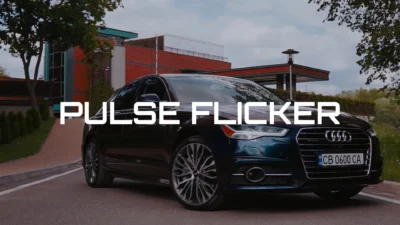
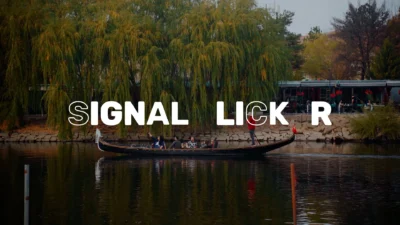
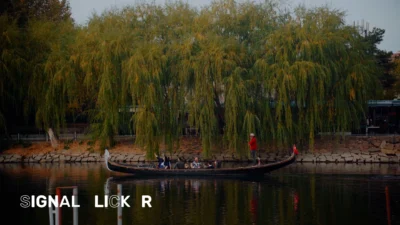
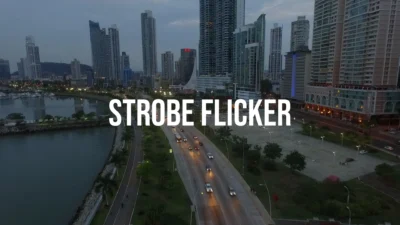
This pack includes 8 professional text animation templates for DaVinci Resolve, featuring a range of flicker styles such as neon glow, signal instability, pulse energy, and glitch-inspired strobe effects.
Each template is built in Fusion with a clean and flexible control system, allowing you to easily customize flicker behavior, timing, and visual style directly from the Inspector without working inside nodes.
Key Features of this Template
- Four distinct flicker styles: neon, pulse, signal, and strobe
- Includes both full-screen titles and lower thirds (8 presets total)
- Advanced flicker system with controlled and customizable behavior
- Persistent flicker option for continuous flicker effects
- Flicker duration control for start and end timing
- Flicker floor control to adjust minimum intensity
- Optional end flicker animation
- Fully trim-safe animations for seamless editing
- Smooth and refined flicker transitions (no unwanted harsh flashing)
- Fully customizable text, font, size, spacing, and alignment
- Color and glow controls for neon-style visuals
- Clean and organized Inspector layout
- Fully procedural and lightweight
- Built entirely in Fusion
- No external plugins required
Included Presets (8)
- Neon Flicker
- Neon Flicker Lower Third
- Pulse Flicker
- Pulse Flicker Lower Third
- Signal Flicker
- Signal Flicker Lower Third
- Strobe Flicker
- Strobe Flicker Lower Third
Compatibility
- Software: DaVinci Resolve 20 or newer (Free and Studio versions supported)
- Operating Systems: Windows, macOS, and Linux
What is included
You will receive a ZIP file containing:
- The .drfx file (installable template file containing all 8 templates)
- Font folder (all required .ttf font files)
- README.txt
How to install
- Download and unzip the package.
- Open the Fonts folder and install all included .ttf files before using the template.
- Note: If the fonts are already installed on your system, you may skip this step.
- Double-click the .drfx file.
- Click Install (or Overwrite if updating).
- Restart DaVinci Resolve.
- On the Edit Page, navigate to:
- Effects Library → Toolbox → Titles → DvBlend
- You can also use the search bar and type “Flicker” to locate the presets quickly.
How to use
- Drag any preset onto your timeline.
- Select the title clip and open: Inspector → Video → Title
- Customize your text:
- Edit text content
- Adjust font, size, spacing, and layout
- Control flicker behavior in the Animation section.
- Style your design:
- Change text color
- Adjust glow
- Refine the overall look to match your project
Related products
-
Dynamic RGB Split Effect Template for DaVinci Resolve
$6.99 -
Floating Circle Outline and Highlight Effect for DaVinci Resolve | Open Circle Focus
$6.00 -
Picture-in-Picture (PiP) Frame Pack for DaVinci Resolve | Animated Borders & Full-to-PiP Templates
$11.99 -
Animated Grid Background Generator for DaVinci Resolve | Dynamic Grid
$3.99