$ USD
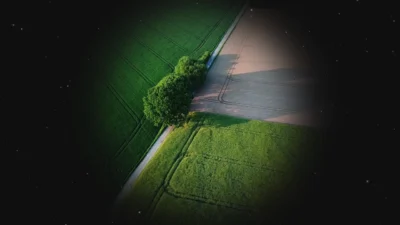


Frame Mask for DaVinci Resolve – Adjustable Video Frame with Border & Shape Controls
Create clean rectangular or circular video frames in DaVinci Resolve with this drag-and-drop Frame Mask effect. Enable borders, adjust size, position, color, softness, and opacity. Works in all aspect ratios.
$2.99
Frame Mask for DaVinci Resolve
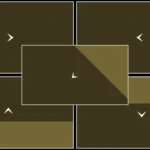
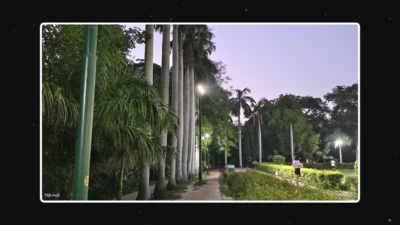
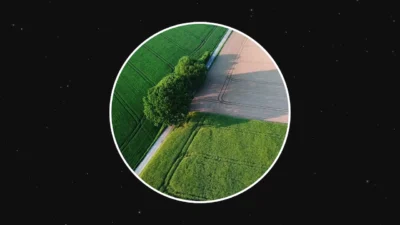
Frame Mask is a flexible and professional framing tool for DaVinci Resolve that allows you to create clean rectangular or circular frames around any clip with full control over size, shape, and borders. Designed for fast drag-and-drop use on the Edit page, it helps you build modern layouts and polished visual presentations with ease.
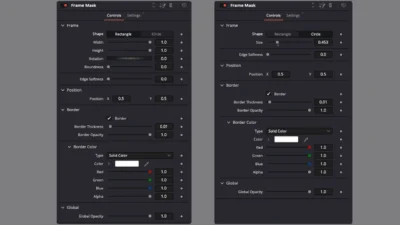
The effect works as a responsive mask and frame system that adapts to all project formats, including landscape, portrait, and social media ratios. Users can control width, height, roundness, rotation, position, and edge softness, while optionally enabling a customizable border with adjustable thickness, opacity, and color.
All controls are organized inside a clean and intuitive Inspector interface, making it easy to fine-tune the look of your frames without entering the Fusion page. Frame Mask is ideal for YouTube videos, Reels, Shorts, tutorials, presentations, product showcases, and content layouts that require precise framing.
Built entirely inside Fusion, this effect does not rely on any third-party plugins. It is lightweight, stable, and designed for long-term use across different resolutions and workflows.
Features of this template
- Rectangle and Circle shape modes
- Adjustable width and height controls
- Independent X and Y positioning
- Rotation control for rectangular frames
- Rounded corner control
- Edge softness adjustment
- Optional border with on/off toggle
- Border thickness control
- Border opacity control
- Full border color customization
- Global opacity control for frame and clip
- Resolution and aspect-ratio independent design
- Works in landscape, portrait, and custom formats
- Clean and organized Inspector interface
- Fully procedural and lightweight
- Built entirely in Fusion
- No external plugins required
Compatibility
- Software: DaVinci Resolve 18 or newer (Free and Studio)
- Operating Systems: Windows, macOS, and Linux
What is included
You will receive a ZIP file containing:
- FrameMask.drfx (installable template file)
- README.txt
How to install
- Download and unzip the package.
- Double-click FrameMask.drfx to install the effect.
- Click Install (or Overwrite if updating).
- Restart DaVinci Resolve.
On the Edit Page, navigate to:
Effects Library > Toolbox > Effects > DvBlend
You can also use the search bar and type Frame Mask
How to use
- On the Edit Page, drag Frame Mask onto any clip.
- Select the clip and open the Inspector.
- Choose the frame shape:
- Rectangle
- Circle
- Adjust the frame:
- Set width and height
- Adjust position X and Y
- Rotate the frame and modify roundness (rectangle mode)
- Modify edge softness
- Enable and customize the border (optional):
- Turn border on or off
- Adjust thickness
- Set opacity
- Choose border color
- Adjust global opacity if needed.
- Preview and fine-tune until the frame matches your layout.
Related products
-
Smooth Color Glow Wipe Transition Template for DaVinci Resolve | Radiant Linear Wipe
$1.99 -
Free Heat Wave and Mirage Distortion Template for DaVinci Resolve | Heat Haze
$0.00 -
Ultimate Arrow Animation Generator Pack for DaVinci Resolve
$9.99 -
Free Shadow Wipe Transition Template for DaVinci Resolve | Shadow Wipe Free
$0.00