$ USD
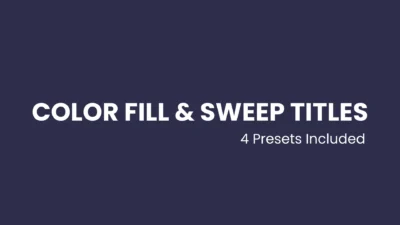


Ultimate Text Color Fill & Sweep Title Presets with Lower Thirds for DaVinci Resolve
Four Fusion-based title presets for DaVinci Resolve featuring dynamic color fill and sweep animations, including lower thirds. Fully customizable with trim-safe, auto-adjusting timing, glow, shadow, and motion controls.
$7.99
Advanced Text Color Fill & Sweep Title Presets for DaVinci Resolve
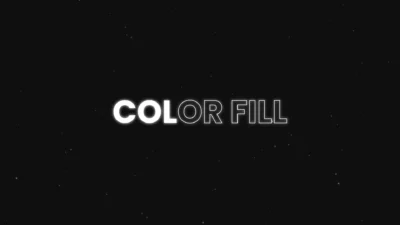
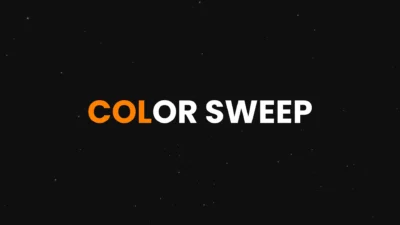
Text Color Fill & Sweep Titles for DaVinci Resolve is a professional title pack designed to animate text color changes smoothly and precisely, character by character. It includes four fully procedural, Fusion-based title presets, featuring both center titles and lower-third layouts, giving you full creative control over color-based text animation. Use Color Fill to progressively fill text with color, or Color Sweep to replace a base color with a second color using a controlled directional sweep.
These titles are built for editors and motion designers who want clean, modern typography animations without relying on external plugins or complex setups. All customization is handled directly inside the Inspector, allowing you to create polished, professional titles quickly and efficiently.
What This Product Includes
This pack features four advanced, color-based title presets, built entirely inside Fusion for maximum performance and flexibility:
- Color Fill: Progressively fills text with color, character by character, with fully customizable animation style and timing.
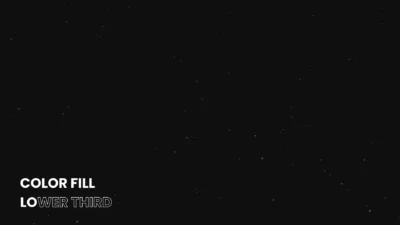
- Color Fill Lower Third: A lower-third variation of the Color Fill preset, optimized for clean and professional captions.
- Color Sweep: Smoothly replaces a base text color with a second color using a directional sweep, with full control over speed and animation order.
- Color Sweep Lower Third: A lower-third version of the Color Sweep preset.
All presets are fully procedural and optimized for real-world editing workflows, including YouTube videos, social media content, presentations, reels, and professional motion graphics.
Features of This Template
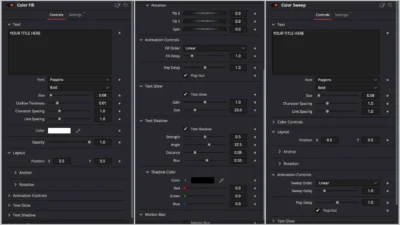
- Text Color Animation: Animate text color changes character by character using two distinct animation styles across four presets. Color Fill progressively fills text with color, while Color Sweep replaces a base color with a second color using a smooth, directional sweep. All presets support multiple animation order modes, including left to right, inside out, random, and more.
- Color Controls: Customize text colors with precision. Text Color Fill focuses on progressive color filling, while Text Color Sweep provides independent control over base color and sweep color, making it easy to match any brand or design style.
- Animation Timing & Behavior: Fine tune animation speed, delay, and progression directly from the Inspector. Optional pop-out animation can be enabled or disabled and adjusted to add subtle motion emphasis when needed.
- Typography Controls: Adjust font, weight, size, character spacing, line spacing, and text alignment with professional typography controls suitable for both minimal and expressive designs.
- Position & Rotation: Precisely position text using anchor alignment controls. Includes optional 3D rotation for advanced motion styling.
- Glow Controls: Enable or disable text glow and refine its look using gain and size controls for clean highlights or subtle emphasis.
- Shadow Controls: Add depth and separation with built-in text shadow options. Control shadow strength, distance, angle, blur, and color independently, or disable shadows entirely.
- Motion Blur: Toggle motion blur on or off to smooth animation movement and improve visual quality, especially at higher speeds.
- Fully Procedural: Built entirely inside Fusion with no external assets or plugins required. Designed to be reliable for real-world editing workflows.
Compatibility
- Software: DaVinci Resolve (Free and Studio versions)
- Operating Systems: Windows, macOS, and Linux
No third-party plugins required
What is Included
You will receive a ZIP file containing:
- TextColorFillSweep.drfx: An installable template file that includes all title presets: Color Fill, Color Fill Lower Third, Color Sweep, and Color Sweep Lower Third.
- Font files/: A folder containing Poppins.zip, an open-source Google Font used by default in the presets.
- README.txt
How to Install
Install the font first:
- Unzip the downloaded ZIP file.
- Open the folder named Font files.
- Unzip Poppins.zip.
- Install all included .ttf font files on your system.
- Restart your computer if required.
After installing the font:
- Double-click TextColorFillSweep.drfx.
- Click Install (or Overwrite if updating).
- Restart DaVinci Resolve.
You will find the title presets on the Edit Page under: Effects > Toolbox > Titles > DvBlend
Tip: Use the search bar and type Color Fill or Color Sweep to locate them quickly.
How to Use
- Drag title onto your timeline.
- Select the title clip and open the Inspector > Video > Title.
- Customize the title using the available text, color, and animation controls.
These titles work well for intros, lower thirds, headings, callouts, and motion typography.
Related products
-
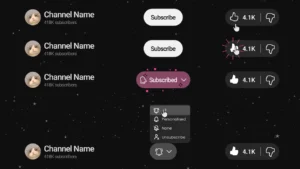
YouTube Like and Subscribe Animation Titles for DaVinci Resolve | YouTube CTA Pack
$9.00 -
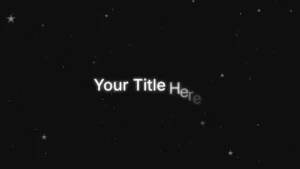
Slide Text Animation Template for DaVinci Resolve | TextFlow 12 – Directional Slide
$3.88 -
Free Circle Highlight and Zoom Template for DaVinci Resolve | Smart Circle Focus Free
$0.00 -
Animated Grid Background Generator for DaVinci Resolve | Dynamic Grid
$3.99