$ USD
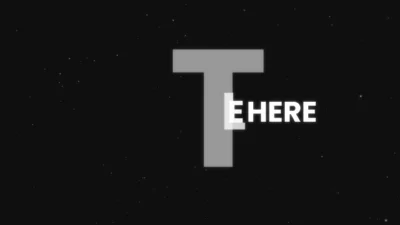
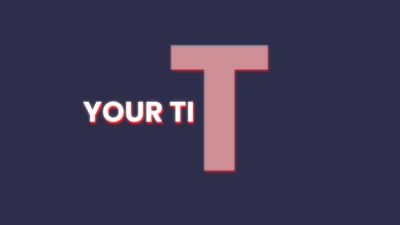
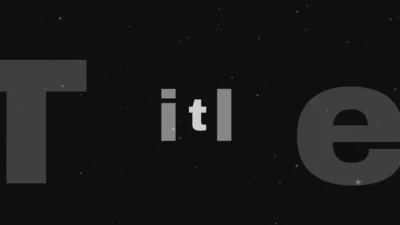
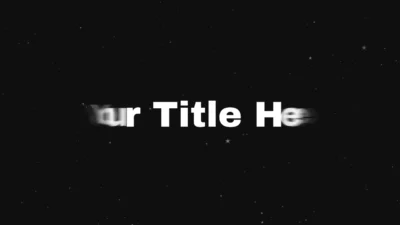
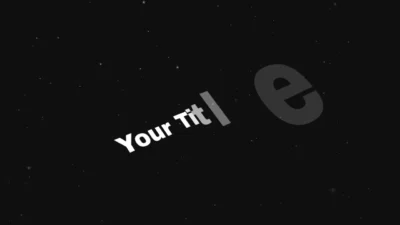
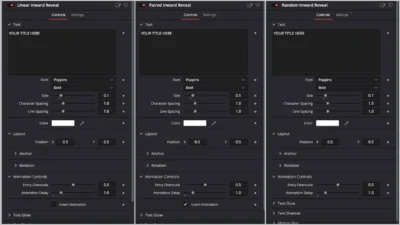
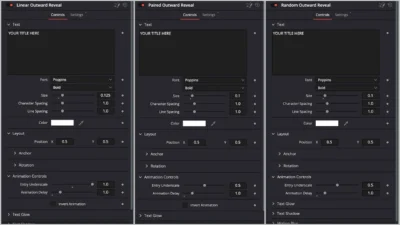


Text Reveal Inward & Outward Titles for DaVinci Resolve | 6 Animation Presets
Six inward and outward text reveal title presets for DaVinci Resolve with trim-safe animations, customizable timing, strength control, and invert animation option. Drag and drop presets.
$7.99
Create Inward and Outward Text Reveal Animations in Seconds
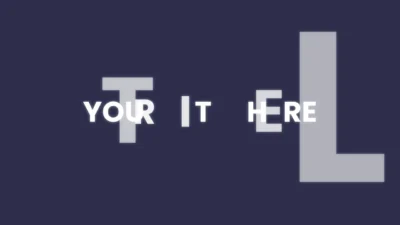
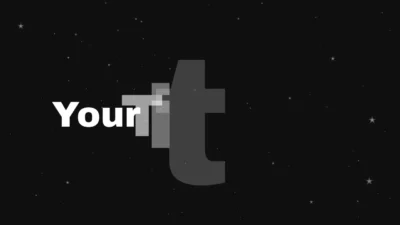
Text Reveal Inward & Outward Titles is a collection of six high-quality title presets designed for creators who want smooth, modern, and fully customizable text reveals with precise control over animation, glow, shadow, and more. All titles are built as drag-and-drop presets for the Edit Page and automatically adapt to clip length, making them completely trim-safe.
Each preset combines scale, slide, and fade animations to produce elegant inward and outward reveals with consistent timing and a polished, cinematic look.
Built entirely inside Fusion, this pack gives you full control over typography, layout, and animation behavior. You can create minimal clean titles or bold, expressive reveals for YouTube videos, promos, reels, intros, presentations, and professional motion graphics.
Features of This Title Pack
- Six High-Quality Text Reveal Presets:
- Linear Inward Reveal
- Linear Outward Reveal
- Paired Inward Reveal
- Paired Outward Reveal
- Random Inward Reveal
- Random Outward Reveal
- Fully Customizable Text Controls:
- Font, style, and size
- Character spacing and line spacing
- Text color control
- Layout Controls
- Position X and Y
- Horizontal and vertical anchor
- 3D rotation (X, Y, Z)
- Animation Controls
- Animation delay control
- Entry overscale and underscale
- Invert animation toggle (available on all presets except Random reveals)
- All animations automatically adapt when you trim or extend clips.
- Visual Effects
- Optional soft glow with gain and size controls
- Optional text shadow with offset, softness, and color
- Motion blur toggle
- Title-Based Workflow
- Drag and drop directly onto the timeline
- Works on the Edit Page
- Fully trim-safe behavior
- Fully Procedural System
- Built entirely in Fusion
- Lightweight and reliable
- No external assets or third-party plugins required
Compatibility
- Software: DaVinci Resolve 18 or later (Free and Studio)
- Operating Systems: Windows, macOS, and Linux
What is included
You will receive a ZIP file containing:
- Font Files (Poppins.zip): Google Font used by default in the titles
- InwardOutwardReveal.drfx (Installable template file containing all 6 title presets)
- README.txt (Installation and usage instruction)
How to install
Step 1: Install Fonts (Required)
- Download and unzip the package
- Open the Font Files folder
- Unzip Poppins.zip
- Install all included .ttf files
- Restart your computer if required
Important: Install fonts before installing the template.
Step 2: Install Title Presets
- Double-click InwardOutwardReveal.drfx
- Click Install (or Overwrite if updating)
- Restart DaVinci Resolve
This single file installs all 6 title presets at once.
Step 3: Access the Titles
On the Edit Page, go to: Effects Library > Toolbox > Titles > DvBlend
Or search for Inward Reveal or Outward Reveal in the search bar.
How to Use
- Drag and drop any Text Reveal title onto your timeline.
- Select the title clip and open Inspector > Video > Title.
- Edit your text and typography settings.
- Customize animation:
- Adjust Animation Delay and Overscale/Underscale
- Enable or disable Invert Animation (where available)
- Enhance the look:
- Enable glow or shadow
- Adjust motion blur if needed
- Trim the clip to control timing. Animations will adapt automatically.
Related products
-
Corner Highlight and Zoom Effect for DaVinci Resolve | Smart Corner Focus
$6.99 -
Circle Highlight and Zoom Effect for DaVinci Resolve | Smart Circle Focus
$5.88 -
Free Customizable Cinematic Transition Template for DaVinci Resolve | Texture Wipe
$0.00 -

Circle Layer Float Motion Background Generator for DaVinci Resolve
$4.99