$ USD
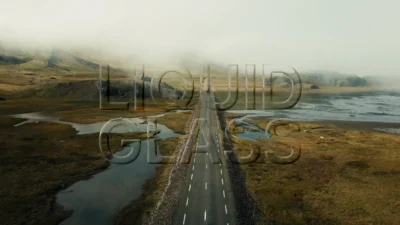

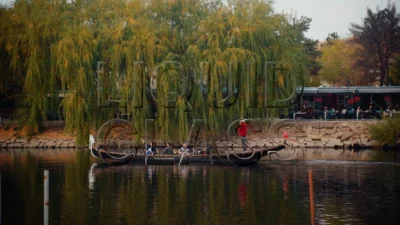
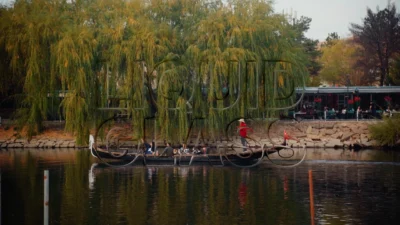
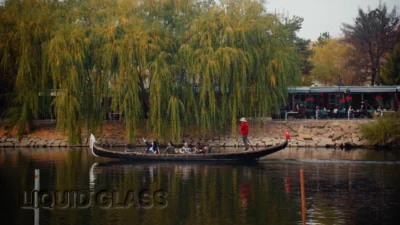
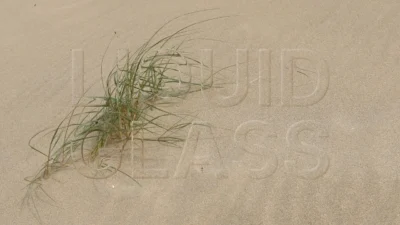
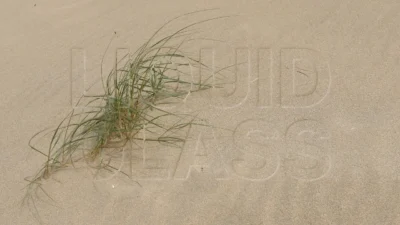
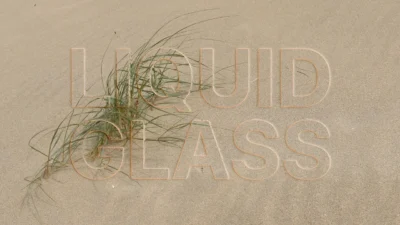


Liquid Glass Title for DaVinci Resolve | Glass Text & Lower Third Templates
Create liquid glass text effects and animated lower thirds in DaVinci Resolve. Customize typography, glass distortion, blur, outlines, colors, and animations directly from the Inspector with no plugins required.
$4.99
Create Modern Liquid Glass Text and Lower Third Titles for DaVinci Resolve
Liquid Glass Title is a drag-and-drop title template pack for DaVinci Resolve that creates modern liquid glass typography, transparent glass text, and polished lower third animations directly from the Edit Page. Inspired by contemporary interface design and premium glass-inspired visuals, the templates combine elegant typography with fluid distortion, soft highlights, and customizable styling controls.
The pack includes two title templates: Liquid Glass and Liquid Glass Lower Third. Both templates provide a streamlined workflow for creating stylish glass text effects without requiring any Fusion knowledge, making them suitable for both quick edits and highly customized motion graphics projects.
Clean title sequences, technology-inspired graphics, modern presentations, promotional videos, social media content, interface-style visuals, product showcases, and creative motion design projects can all benefit from the distinctive liquid glass aesthetic while remaining fully customizable through the Inspector.
Features
- Includes both Liquid Glass and Liquid Glass Lower Third templates
- Modern liquid glass typography and transparent glass text effects
- Fully editable text content with transform controls
- Built-in text animation system
- Multiple reveal order options
- Adjustable animation duration
- Optional end animation controls
- Liquify / Smear distortion effect
- Adjustable distortion size, strength, and spread
- Optional blur effect
- Optional inverted engraving-style text effect
- Optional outline system
- Outline thickness and blur controls
- Outline glow controls
- Adjustable light intensity and light direction
- Independent text and outline appearance controls
- Advanced color customization using color wheel controls
- Drag-and-drop workflow directly from the Edit Page
- No external plugins required
Ideal For
- Modern title sequences
- Lower thirds
- Technology videos
- Product presentations
- Promotional content
- Social media videos
- Interface-inspired motion graphics
- Corporate presentations
- Creative typography
- Glass-inspired visual design
- UI-style video graphics
- Motion design projects
Compatibility
- Software: DaVinci Resolve 20 or newer (Free and Studio versions supported)
- Operating Systems: Windows, macOS, and Linux
What You Will Receive
You will receive a ZIP file containing:
- LiquidGlassTitles.drfx (installable template file containing both templates)
- Font folder (includes Inter font files)
- README.txt
How to Install
- Open the Font folder, extract Inter.zip, and install all included .ttf font files. If Inter is already installed on your system, you may skip this step.
- Double-click the LiquidGlassTitles.drfx file.
- Click Install (or Overwrite if updating an existing version).
- Restart DaVinci Resolve if required.
For detailed step-by-step instructions: How to Install DaVinci Resolve Templates (.drfx Files)
How to Use
- Open the Edit Page in DaVinci Resolve.
- Go to Effects Library → Toolbox → Titles → DvBlend → Liquid Glass.
- Drag either Liquid Glass or Liquid Glass Lower Third onto the timeline.
- Select the title and open the Inspector.
- Customize the text, animation, liquid glass styling, outline, and appearance controls.
- Adjust the design to match your project.
Related products
-

Free Heat Wave and Mirage Distortion Template for DaVinci Resolve | Heat Haze
$0.00 -
Dynamic RGB Split Effect Template for DaVinci Resolve
$6.99 -
Floating Circle Outline and Highlight Effect for DaVinci Resolve | Open Circle Focus
$6.00 -
Free Customizable Cinematic Transition Template for DaVinci Resolve | Texture Wipe
$0.00