$ USD
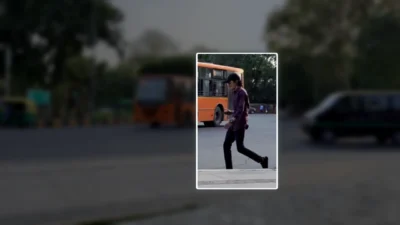
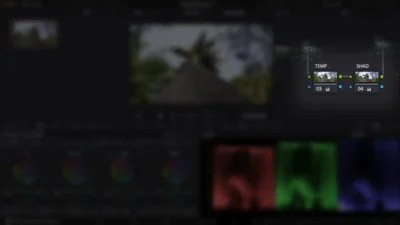

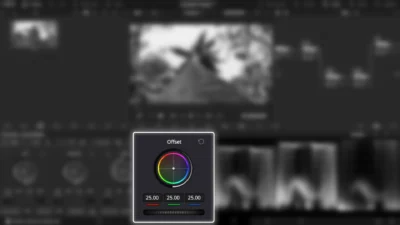


Rectangle Highlight and Zoom Effect for DaVinci Resolve | Smart Rectangle Focus
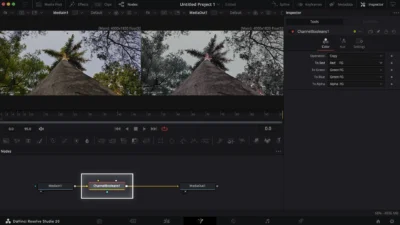
Highlight any area in your video with ease. Smart Rectangle Focus is a drag-and-drop DaVinci Resolve effect featuring smooth zoom, customizable rectangular highlights, and stylish outside effects.
$5.88
Highlight Any Area with Rectangular Focus in DaVinci Resolve
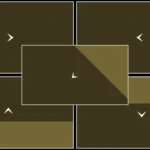
Smart Rectangle Focus is a an easy drag-and-drop, fully customizable DaVinci Resolve effect template for tutorials, educational videos, app/UI demos, training content, and presentations. Apply it to any clip to highlight a specific area with a clean rectangular focus, smooth zoom, and stylish outside effects.
Features
- Customizable rectangular border highlight
- Smooth zoom in/out animations that adapt to clip length
- Adjustable animation delay (speed control)
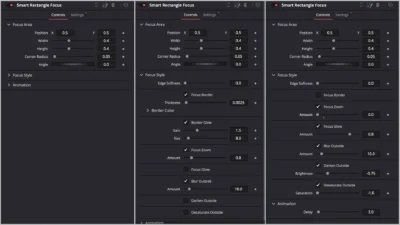
- Fully adjustable focus area (position, angle, width, height, corner radius)
- Zoom controls (on/off toggle + amount)
- Border color & width control
- Border glow (size & gain)
- Inner glow inside the focus area
- Blur outside the focus area
- Darken outside the focus area
- Black & white effect outside the focus area
Compatibility
- DaVinci Resolve (Free or Studio) – version 18 or later recommended
- Works on Windows, Mac, and Linux
What Is Included
You will receive a ZIP file containing:
- SmartRectangleFocus.drfx (installable template)
- README.txt (installation & usage instruction)
Quick Installation
- Unzip the download.
- Double-click SmartRectangleFocus.drfx.
- Click Install (or Overwrite if updating), then restart Resolve.
- Find it under Effects > Toolbox > Effects > DvBlend (or use the search bar).
- Find it listed as Smart Rectangle Focus.
How to Use
- Drag & drop the effect onto any clip (or an Adjustment Clip to affect multiple clips).
- The effect auto-adapts to your clip length.
- In the Inspector, set the focus area, tweak border/zoom, and other parameters.
- Use the Delay slider to fine-tune fade-in and fade-out speed.
- Tip: For multi-shot sequences, place the effect on an Adjustment Clip above your edits for consistent styling and easier tweaks.
Related products
-
Circle Layer Float Motion Background Generator for DaVinci Resolve
$4.99 -
Corner Highlight and Zoom Effect for DaVinci Resolve | Smart Corner Focus
$6.99 -
Free Heat Wave and Mirage Distortion Template for DaVinci Resolve | Heat Haze
$0.00 -
Free Shadow Wipe Transition Template for DaVinci Resolve | Shadow Wipe Free
$0.00